7 Smart Ways to Use Database Notion for Productivity in 2026
Discover 7 smart ways to use database notion for productivity in 2026. Learn expert tips to streamline workflows, boost efficiency, and master modern organization.
In 2026, productivity has become more vital than ever, with teams and individuals turning to all-in-one workspace tools for streamlined work. As digital demands grow, efficient information management is a top priority.
Enter database notion, a powerful solution that organizes everything from projects to personal notes in one place. Its flexibility is changing how professionals structure their daily routines and collaborate.
By mastering the features of database notion, users unlock smarter workflows, clearer project management, and seamless teamwork. The right setup can truly transform how you work.
This article reveals 7 smart, actionable ways to use database notion for maximum productivity in 2026. Expect practical examples and expert tips to boost your efficiency.
Why Notion Databases Are Essential for Productivity in 2026
The landscape of productivity tools is changing rapidly, and the database notion has become central to how professionals and teams organize their work. Over the years, Notion databases have evolved from simple tables into multi-functional engines driving collaboration, automation, and streamlined workflows.
Today, the database notion extends far beyond static lists. Users can create flexible structures, including tables, boards, calendars, and galleries, all within a single workspace. For example, a project manager might switch between a Kanban board for tasks, a calendar view for deadlines, and a gallery for visual assets—all powered by the same underlying database. This adaptability means the database notion can fit virtually any workflow, from managing editorial calendars to tracking customer relationships.
Recent updates have introduced powerful AI integrations and new database features. Notion’s AI can now automate repetitive tasks, suggest content, and even summarize meeting notes directly within your database notion setup. These enhancements save time and provide insights that help users make smarter decisions. Custom properties, formulas, and database buttons add another layer of automation, allowing users to tailor their systems without needing technical expertise.
How does the database notion compare to traditional tools? The table below highlights key differences:
Feature | Database Notion | Spreadsheets/Notes |
|---|---|---|
Multiple views (table, board, etc) | Yes | Limited or none |
Real-time collaboration | Seamless | Often restricted |
Custom properties | Highly flexible | Basic or static |
Automation/AI | Built-in | Rare or manual |
Linking between data | Simple relations/backlinks | Complex or unavailable |
Centralizing information within a database notion reduces the need to switch between multiple apps. This approach enables teams to build custom solutions, like linking a CRM system to a project tracker or creating a knowledge base that grows with your organization. Common use cases include:
Project management boards with task dependencies
Content calendars for marketing teams
CRMs for tracking leads and deals
Personal habit trackers with automated reminders
Knowledge bases for storing research and best practices
Adoption of the database notion is accelerating. According to Notion's 2025 Productivity Statistics, Notion’s user base has grown rapidly, with reported productivity gains of up to 30 percent for organizations that embrace advanced database features.
Despite these benefits, some users hesitate to adopt the database notion, fearing a steep learning curve or data overload. However, modern templates, intuitive drag-and-drop interfaces, and AI-powered suggestions make setup and customization more accessible than ever. By starting with simple use cases and gradually exploring advanced features, anyone can unlock the full potential of Notion databases for their workflow.

Getting Started: Setting Up Your First Notion Database
Starting with a database notion unlocks a powerful way to organize your information, tasks, and projects. Whether you are new to Notion or refreshing your setup for 2026, understanding the basics ensures you build a strong foundation for productivity.
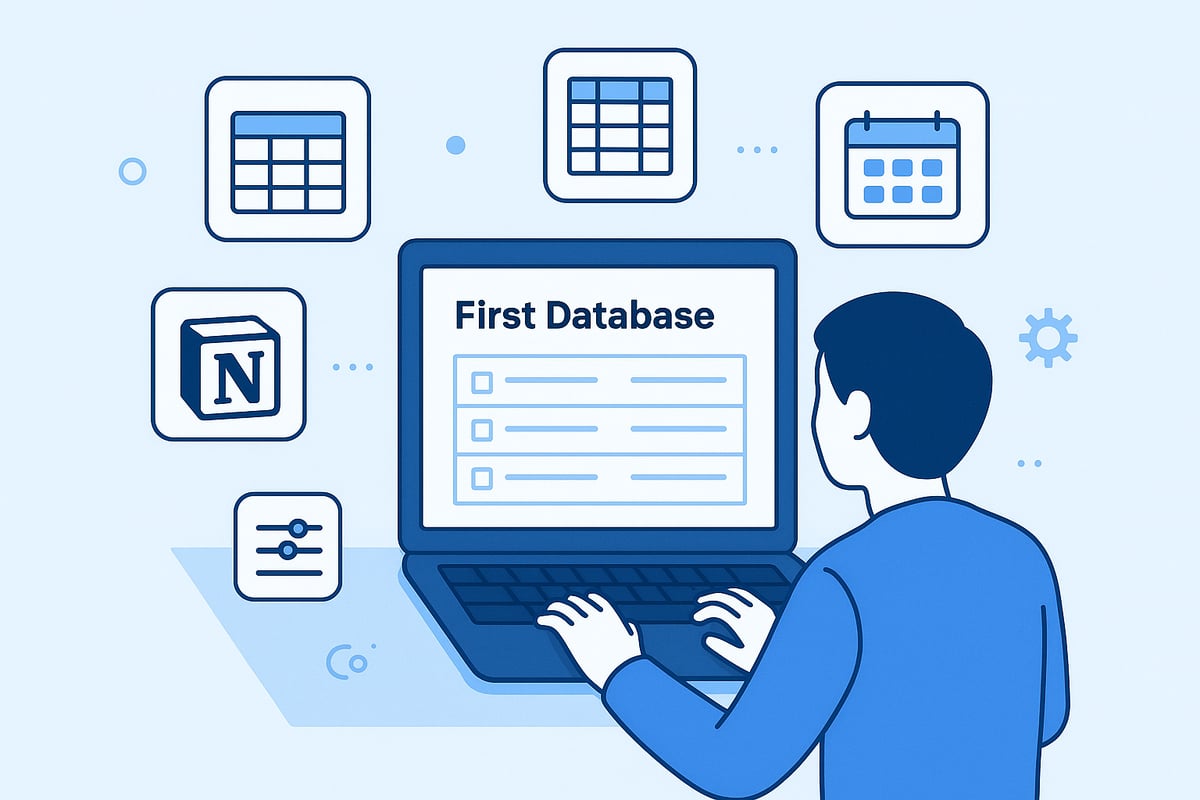
Creating Your First Database Notion: Full-Page vs. Inline
When you create a database notion, you can choose between a full-page database and an inline database. A full-page database stands alone as its own page, ideal for major projects or knowledge bases. An inline database sits within an existing page, perfect for adding a task list or reading tracker alongside your notes.
To get started, click the "+" button in Notion and select "Database." Pick your preferred format, then name your database notion clearly. This step sets the stage for everything you organize in Notion.
Adding and Organizing Items in Your Database Notion
Each entry in your database notion is called a page. You can add new items by clicking "New" or pressing "Enter" in the database view. Edit details directly or open the page for more options.
Organize items by dragging and dropping, grouping by status, or sorting by due date. For example, set up a database notion to manage a reading list: add each book as a page, then use properties like author, genre, and status to keep everything in order.
Database Properties: Customizing for Your Workflow
The true power of a database notion lies in its properties. Standard property types include text, dates, numbers, people, and status. You can add custom fields to match your workflow, such as priority, tags, or checkboxes for tasks.
Multiple views let you see the same data differently. Switch between table, board, and calendar views with one click. For a deeper dive into view options, explore this Notion database view guide for practical visuals and expert tips.
Tailor your database notion for anything from meeting notes to project timelines. Duplicate databases for recurring workflows, or use ready-made templates to jumpstart your setup. Notion’s AI can even suggest structures based on your goals.
Organizing Efficiently with Filters, Sorts, Groups, and Templates
To find what you need fast, use filters to display only relevant items. Sort by date, priority, or status. Group by project or tag for a cleaner view.
Templates and AI-powered database notion creation save time, especially for common tasks like habit trackers or meeting agendas. Experiment with these features to streamline your routine and scale your productivity.
7 Smart Ways to Use Database Notion for Productivity in 2026
In 2026, mastering database notion is essential for anyone seeking to boost productivity and streamline digital workflows. These versatile databases can be adapted for countless purposes, from complex project management to personal goal tracking. By leveraging both foundational and advanced features, you can centralize your information, reduce friction, and support team or individual success.

1. Project Management and Task Tracking
Database notion has revolutionized modern project management by offering dynamic, visual tools that go far beyond static spreadsheets. With features like Kanban boards, Gantt-style timelines, and customizable tables, you can oversee projects from every angle. Assigning tasks, setting deadlines, and tracking progress are all streamlined within a single workspace.
For example, a product launch can be managed using a database notion setup that links tasks, owners, due dates, and dependencies. You can automate recurring tasks and reminders, ensuring nothing slips through the cracks. Notion’s automation tools also allow you to connect related databases, such as milestones and resources, for a holistic view.
A team using database notion for project management will enjoy improved visibility and accountability. Status changes update automatically, and everyone can see what’s next in real time. In fact, teams leveraging these features report faster project delivery and fewer missed deadlines. For further practical guidance, explore Notion for project management tips.
Database notion is particularly effective for adapting to shifting project scopes or timelines. The flexibility to add custom views means you can pivot quickly, maintaining momentum and clarity. This adaptability is a major reason why database notion continues to gain traction in project-driven environments.
2. Building a Personal Knowledge Base
Creating a personal knowledge base with database notion empowers users to collect, categorize, and retrieve information efficiently. Instead of scattered documents or folders, everything resides in a searchable, structured database. You can tag notes and resources by topic, source, or relevance using custom properties.
Imagine a writer maintaining a research database notion. Articles, quotes, and references are organized with tags and linked to related themes or projects. With custom views, you can filter content by subject, date added, or priority, making information retrieval swift and hassle-free.
Database notion supports backlinks and relations, allowing you to connect concepts and build a web of interconnected knowledge. This structure reduces duplication and accelerates learning. The AI-powered search capabilities in database notion further enhance the experience, surfacing relevant insights instantly.
By centralizing your knowledge, database notion eliminates the need for multiple tools and manual cross-referencing. Whether for academic research, professional development, or creative projects, having a robust database notion setup is invaluable for personal growth and efficiency.
3. Content Planning and Editorial Calendars
Editorial workflows thrive when managed through database notion. You can plan blog posts, newsletters, and social campaigns in one unified editorial database. Properties like status, writer, editor, and deadline keep everyone aligned.
For instance, a marketing team might use database notion to coordinate multi-channel content. They track each piece from idea to publication, with board and calendar views providing visual clarity. Assigning roles and due dates ensures accountability, while custom filters help prioritize urgent items.
Database notion also supports automated publishing checklists and approval workflows. This removes bottlenecks and streamlines collaboration, as every contributor sees the content pipeline in real time. Visual scheduling with calendar views prevents overlap and missed opportunities.
By consolidating all editorial assets in database notion, teams reduce communication silos and keep projects moving smoothly. The ability to repurpose templates and automate repetitive steps further boosts output and creativity.
4. Habit and Goal Tracking
Tracking habits and goals becomes intuitive with database notion. You can set up daily, weekly, or monthly trackers, using checkboxes, status fields, and even visual charts to monitor progress. Templates allow you to quickly duplicate recurring routines, while reminders keep you on track.
A popular database notion use case is fitness tracking. Users log exercises, frequency, and progress notes, generating visualizations that highlight streaks and milestones. Linking goals to tasks or projects ensures each habit aligns with broader objectives.
Database notion’s visual approach helps reinforce consistency and motivation. By seeing your progress at a glance, it’s easier to stay committed. Data from users indicates higher goal achievement rates when using digital trackers like database notion compared to analog methods.
This approach is suitable for personal development, wellness, or professional growth. The flexibility of database notion means you can adapt your tracker as your goals evolve, ensuring ongoing relevance and engagement.
5. CRM and Contact Management
Managing contacts and client relationships is seamless with database notion. You can build a custom CRM database to store contact details, company information, deal stages, and interaction logs. Custom properties allow you to track follow-up dates, communication history, and notes.
For example, a freelancer might use database notion to monitor clients, leads, and project statuses. Linking contacts to projects or communications creates a comprehensive overview. Automated reminders ensure follow-ups are never missed, improving client retention and satisfaction.
Database notion excels at centralizing information, reducing data fragmentation across multiple tools. The adaptability of its structure means you can tailor your CRM to fit unique workflows, whether you’re a solo entrepreneur or part of a sales team.
With database notion, relationship management becomes proactive rather than reactive. The ability to visualize pipelines, segment contacts, and automate routine tasks leads to more effective outreach and increased opportunities.
6. Collaborative Meeting Notes and Action Items
Database notion transforms meeting management by centralizing agendas, notes, and action items in one accessible location. You can assign owners, set due dates, and track follow-up status directly within the meeting notes database.
Teams often use recurring templates in database notion to streamline routine meetings. For example, after a weekly review, action items are assigned and linked to relevant projects or knowledge base entries. This ensures decisions and deliverables do not get lost in email threads.
Database notion also enhances accountability. Every participant can view past discussions and track progress on assigned tasks. With AI-powered features, meeting summaries and key action points can be generated automatically, saving time and reducing manual effort.
The searchable history in database notion allows for easy reference and knowledge sharing. This improves transparency and ensures that important insights are preserved and accessible over time.
7. Advanced Automations and Integrations
The power of database notion expands dramatically with automation and integrations. Built-in automation features, such as database buttons and formula properties, allow you to trigger actions or calculations based on specific criteria.
For instance, you can automatically create tasks in database notion from form submissions or incoming emails. Connecting database notion with external tools like Slack, calendars, or email platforms streamlines data flow and reduces manual entry.
Advanced users leverage webhooks and the Notion API to build custom workflows. Automation adoption is projected to double productivity gains by 2026, as routine tasks are delegated to scripts or AI agents. The growing marketplace of automation templates within database notion also accelerates setup for new users.
By harnessing these features, database notion users eliminate repetitive work and maintain up-to-date information effortlessly. Integrations ensure that all essential data flows into one central hub, making it easier to manage complex processes and scale operations.
Pro Tips for Customizing Notion Databases
Customizing your database notion setup can dramatically boost clarity, efficiency, and overall productivity. Start by optimizing database properties to match your workflow needs. Use clear property names and consistent formats for text, dates, and numbers. For instance, a project tracker benefits from properties like "Task Owner," "Due Date," and "Status." Custom fields, such as priority levels or tags, make filtering and sorting straightforward. By tailoring each database notion property, you reduce confusion and ensure everyone understands the data structure.
Advanced Database Features: Rollups and Relations
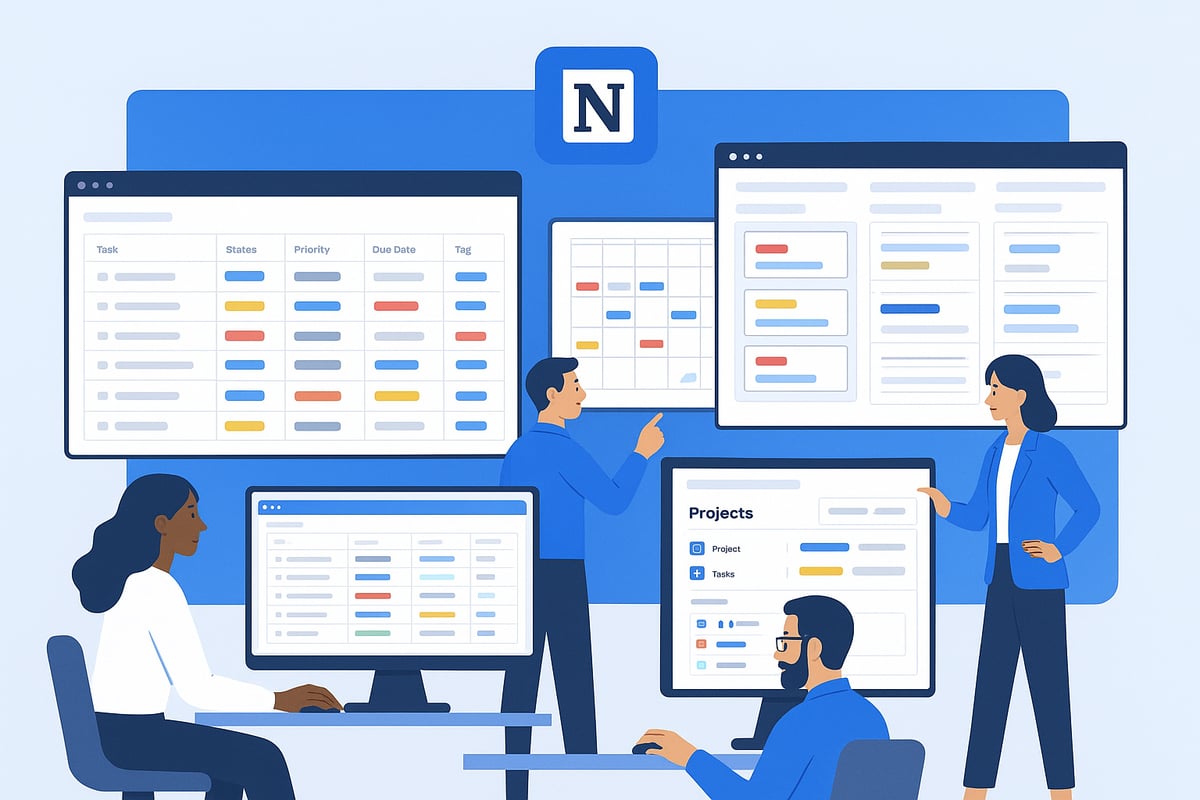
Unlock deeper insights in your database notion system by leveraging rollups and relations. Relations connect different databases, such as linking a "Clients" database to "Projects," allowing seamless data integration. Rollups then summarize or aggregate information, for example, displaying total project hours from related tasks. These features are invaluable for scenarios like CRMs, editorial calendars, or inventory management. Conditional formatting, such as color-coded status indicators, further enhances visibility. Experiment with different combinations to surface the most relevant insights for your workflow.
Collaboration and Permissions
Effective collaboration is at the heart of database notion success. Assign permissions based on roles, ensuring sensitive data remains secure while enabling teamwork. Use shared templates for recurring workflows, such as meeting notes or project kickoffs, to maintain consistency. For teams, grouping and sorting by owner or status streamlines task management. Encourage feedback and iterate on your templates to address evolving needs. If you are looking to maximize productivity in a professional setting, review the effective use of Notion for work for more strategies.
Managing Large Databases and Clean Interfaces
Handling large database notion setups requires strategic organization. Use filters and sorts to display only relevant items, reducing visual clutter. Hide infrequently used properties to keep interfaces tidy. Group related entries for easier navigation. For advanced workflows, consider using synced databases in Notion to centralize data across workspaces, minimizing duplication and manual updates. When your database notion grows beyond 1,000 items, split data into archives or leverage Notion’s performance optimization tools. Learning from the Notion community’s innovative database setups can inspire new solutions for your own use cases.
Database Notion Use Cases: Real-World Examples and Success Stories
The versatility of database notion is best illustrated through real-world examples. As Notion’s user base has surged globally, more people and organizations are leveraging its database features for tailored productivity solutions. According to Notion's Growth and Revenue Statistics, this adoption has led to measurable efficiency gains and innovative workflow improvements. Let’s explore how different users transform their routines with database notion.
Startup: Managing the Product Development Lifecycle
A growing tech startup uses database notion to centralize its product roadmap, sprint planning, and bug tracking. Each task is a database item with assigned owners, statuses, and deadlines. By linking databases for tasks, milestones, and resources, the team gains complete visibility into development progress. With Notion's Business Adoption in 2025, startups report reduced tech bloat and more unified workflows, making database notion essential for scaling operations.
Educator: Organizing Curriculum and Tracking Student Progress
An educator leverages database notion to streamline lesson planning, assignment scheduling, and student assessments. Each class module becomes an entry, tagged with subjects, dates, and completion status. The educator can filter views for weekly plans or track individual student achievements. With database notion, managing curriculum updates and sharing resources is seamless, fostering a collaborative learning environment for both teachers and students.
Freelancer: Project, Invoice, and Client Management
A freelancer relies on database notion to keep projects, invoices, and client communications organized. Each client is a database item, linked to associated tasks, contracts, and payment status. The freelancer uses custom views to monitor deadlines, send follow-up reminders, and maintain a clear pipeline of work. Database notion significantly reduces time spent searching for files or tracking payments, enabling freelancers to focus on delivering quality work.
Unique Solutions: Travel Planning, Expense Tracking, Meal Planning
Individuals have discovered creative ways to apply database notion for personal productivity. For example, a traveler builds a trip planner with destinations, bookings, and daily itineraries. Families use databases to track expenses, categorize receipts, and set budgets. Meal planners organize recipes, grocery lists, and nutrition data. Database notion adapts to virtually any workflow, empowering users to customize solutions for their unique needs.
Community Insights and Encouragement
Notion’s vibrant community shares countless database notion templates and success stories, inspiring others to optimize their routines. Users consistently report time savings, improved organization, and better goal achievement with database notion. Whether managing a business or personal life, experimenting with templates and adapting use cases can unlock new levels of productivity for everyone.
Now that you’ve seen how Notion databases can completely transform the way you manage projects, track habits, and organize your daily life, it’s time to put these strategies into practice. If you’re ready to simplify your workflows and boost your productivity in 2026, I highly recommend starting with expertly crafted templates designed to fit your unique needs. BlocksPad offers a range of thoughtfully designed Notion templates created by a certified Notion expert—perfect for everything from expense tracking to meal planning. Take the next step and Discover Notion Templates to make your workspace more organized and efficient.