How to Use Notion for Students: Guide for Success 2025
Discover how to use notion for students with this 2025 guide covering setup, organization, productivity tips, collaboration, and wellbeing for academic success.
Imagine a single digital workspace that brings your classes, assignments, and personal life together, all with ease. In today’s fast-paced academic world, staying organized is essential for student success.
This guide on how to use notion for students will show you how to streamline every aspect of your studies using Notion in 2025. With customizable templates, collaboration tools, and powerful organization features, Notion is designed to help you take better notes, track assignments, and manage your schedule without stress.
Ready to transform your student life? Let’s explore proven strategies, from setting up your account to maximizing advanced workflows, so you can thrive this academic year.
Why Notion is the Ultimate Student Tool in 2025
Modern student life is a juggling act, with deadlines, group projects, and personal commitments often colliding. Many wonder how to use notion for students to bring order to this chaos. Notion stands out in 2025 as the leading digital workspace, offering everything needed for academic and personal success.
All-in-One Workspace for Modern Students
Students often switch between separate apps for notes, calendars, and to-do lists. With Notion, all these tools combine in one place. You can manage classes, assignments, and group projects without leaving the platform.
Notion supports both solo and group work. Individual dashboards make it easy to track your own progress, while shared workspaces let you collaborate on group assignments with ease.
Free and Student-Friendly Pricing
Financial accessibility is crucial for students. Notion remains free for anyone with a .edu or university email address. This includes access to features that are otherwise premium, such as advanced permissions and unlimited file uploads.
Adoption rates continue to rise. Over 60,000 students started using Notion for their studies in 2024, a testament to its growing popularity in the education sector.
Seamless Cross-Device Access
Notion understands that students work everywhere. The app is available on web, desktop, iOS, and Android, so your workspace syncs in real time across all devices.
Whether you are in the library, at home, or on the move, you can access your notes and assignments anytime. This flexibility ensures you never miss important updates or resources.
Customization and Flexibility
A key reason why students search for how to use notion for students is its unmatched customization. With a simple drag-and-drop interface, you can build your own dashboards, organize pages, and adapt templates to your needs.
Notion’s template gallery is especially helpful for academic organization. For a step-by-step approach, the Notion student dashboard guide offers practical examples for creating dashboards that fit your courses and study style.
Collaboration and Sharing Features
Group projects are easier when everyone is on the same page. Notion allows real-time collaboration, making it simple to co-edit notes, assign tasks, and share resources.
Permissions and sharing controls ensure that your work remains secure, whether you are collaborating with classmates or sharing study materials.
Integration with Other Tools
Notion connects with tools students already use, such as Google Calendar and Slack. This integration streamlines your workflow, letting you import notes, export documents, and set reminders without extra steps.
Data security is a priority. End-to-end encryption and privacy controls give you peace of mind, and Notion’s reputation is trusted by universities and tech experts worldwide.
Why Notion is the Ultimate Student Tool in 2025
Notion’s all-in-one platform, free student access, real-time syncing, and customization make it clear why so many turn to it for academic success. Learning how to use notion for students unlocks a streamlined, stress-free approach to managing your entire student life.
Getting Started: Setting Up Notion for Student Success
Starting with how to use notion for students begins with a seamless setup process. Whether you are a freshman or a graduate student, Notion’s onboarding ensures you maximize productivity from day one. Let’s walk through each step for a smooth start.
Creating Your Notion Account
To begin, visit Notion’s official website and select the sign-up option. Use your student email address, ideally ending with .edu or your university’s domain, to unlock free Plus access. This step is crucial for ensuring you benefit from all premium features at no cost.
Once you submit your email, follow the verification link sent to your inbox. Upon verification, you will access the Notion dashboard instantly. The onboarding wizard provides an introduction and offers quick tips for how to use notion for students, including shortcuts and workspace basics.
Navigating the Notion Interface
After logging in, you will see the main workspace. The sidebar on the left houses all your pages and databases. Familiarize yourself with the menu, which allows you to create new pages, organize folders, and access shared workspaces.
Every page in Notion is built using “blocks.” These include text, headings, checkboxes, images, and embeds. Understanding block structure is foundational to how to use notion for students, as it lets you customize your academic workspace with ease.
Exploring the Template Gallery
One of the fastest ways to get started is by leveraging Notion’s template gallery. Click “Templates” in the sidebar to access a curated collection designed for students. You will find options like Syllabus, Course Schedule, and Weekly Planner.
Learning how to use notion templates effectively can help you tailor these resources to your needs. Apply templates with a single click, then personalize them by adding your own courses, assignments, and reading lists. This is a cornerstone of how to use notion for students efficiently.
Building Your First Custom Page
Ready to make Notion your own? Click “Add a Page” and give it a descriptive name. Choose an icon and cover image to make it visually appealing. From there, start adding blocks: text for notes, checklists for tasks, toggles for collapsible content, and tables for organizing information.
Experiment with drag-and-drop to arrange your blocks. This hands-on approach is key to how to use notion for students, enabling you to build dashboards for every aspect of your academic life.
Essential Settings for Students
Take a moment to customize your settings. Enable notifications so you never miss a deadline or class reminder. Adjust your workspace to dark or light mode for comfortable studying, day or night.
You can also fine-tune privacy, language, and accessibility options. These adjustments create an environment tailored to your preferences and learning habits.
Syncing Across Devices
Download the Notion app for your laptop, tablet, and smartphone. Sign in with the same account, and your workspace will sync automatically across all devices. This guarantees you have access to your notes and tasks whether you are in class, at home, or on the go.
Offline access is available for mobile and desktop apps, so you can review material even without an internet connection. This flexibility supports students with dynamic schedules.
Tips for a Smooth Onboarding Experience
Join Notion’s student community to connect with peers, exchange ideas, and get support. Within the app, you will find built-in tutorials and help resources for troubleshooting and advanced tips.
If you ever feel overwhelmed, remember that learning how to use notion for students is a process. Start simple, explore features gradually, and soon you will have a personalized academic hub that grows with your needs.
Organizing Academic Life: Notes, Classes, and Assignments
Staying on top of classes, assignments, and resources can be overwhelming for students. Knowing how to use notion for students transforms scattered tasks into a streamlined system. Let’s explore practical ways to structure your academic life inside Notion.
Structuring Your Semester Dashboard
Begin by creating a “Semester Overview” page as your academic command center. Add links to each course, quick-access widgets for tasks and deadlines, and a calendar view for an at-a-glance schedule.
Use visual elements like icons and color-coded tags to differentiate courses and priorities. Consider adding a summary table or checklist for major assignments and exams.
This approach to how to use notion for students gives you a single place to monitor your entire semester, reducing stress and overlooked tasks.
Managing Courses and Syllabus
For each class, set up a dedicated page or database. Embed your syllabus, upload lecture slides, and create sections for reading lists and important contacts.
Organize these elements with toggles and headings for easy navigation. You can also pin reference materials and add reminders for key dates.
When you understand how to use notion for students in this way, every resource is just a click away, making class prep efficient and organized.
Smart Note-Taking Strategies
Effective notes are essential for academic success. Use built-in templates like Cornell Notes to capture main ideas, details, and summaries for each lecture.
Add inline highlights, bullet points, and toggle lists to break down complex topics. Attach images or link to external resources for richer context.
Research shows that using Cornell Notes in Notion improved retention for 75% of surveyed students. This demonstrates the impact of how to use notion for students for better learning outcomes.
Tracking Assignments and Deadlines
Stay ahead of due dates by building to-do lists with checkboxes for each homework or project. Integrate Notion’s calendar feature to visualize all upcoming tasks.
Use color-coded labels to indicate urgency or subject area. Set reminders for critical deadlines to avoid last-minute rushes.
Mastering how to use notion for students in this way ensures nothing slips through the cracks, keeping you organized and on track.
Organizing Study Materials and Resources
Centralize your study materials by uploading PDFs, linking to articles, and saving multimedia files on resource pages. Tag each item by course or topic for rapid retrieval.
Create folders or use database properties to sort and filter resources. This system saves time when preparing for exams or writing papers.
Learning how to use notion for students for resource management means every file, link, and note is easily accessible, supporting efficient study habits.
Utilizing Databases for Maximum Efficiency
Notion databases are powerful tools for tracking assignments, grades, and progress. Set up a database with columns for task name, due date, status, and grade.
Use filters and sorts to focus on urgent or high-priority items. For more tips on optimizing your database setup, check out Notion database view tips.
A well-structured database is essential for anyone serious about how to use notion for students efficiently and effectively.
Database Feature | Benefit |
|---|---|
Status Tracking | Monitor progress |
Due Date Reminders | Avoid missed deadlines |
Grade Calculation | Track academic results |
Example Workflows and Success Stories
Many students create “All-in-One Student Dashboards” to combine notes, assignments, and schedules. These dashboards often include quick links to class pages, a calendar, and a habit tracker.
Student testimonials highlight improved GPAs and lower stress after adopting these workflows. One student shared that applying how to use notion for students helped them cut assignment completion time by 30 percent.
By building a custom workflow, you can tailor Notion to your needs and achieve academic success with less effort.
Maximizing Productivity: Advanced Notion Features for Students
Unlocking the full potential of Notion means mastering its advanced features. If you want to truly understand how to use notion for students, exploring automation, collaboration, and integrations is essential. With these strategies, you can streamline study routines, boost efficiency, and achieve academic goals faster. For a deeper look at Notion’s impact on productivity, see Notion's Impact on Productivity.
Automating Repetitive Tasks
Efficiency is the cornerstone of how to use notion for students aiming for top performance. Notion’s template system makes automation simple. You can create reusable templates for assignments, lab reports, or weekly reviews.
For example, setting up a database template for essays allows you to pre-fill structure and requirements.
By automating repetitive academic tasks, you reduce manual work and save time for deeper study.
Linking Pages and Creating Knowledge Networks
One secret to mastering how to use notion for students is building a personal knowledge network. Notion enables you to interlink notes, assignments, and resources.
Start by creating pages for each subject, then use backlinks to connect related concepts or topics. This approach transforms Notion into a personal wiki, making revision and exam prep more efficient.
Linking your content supports active learning and helps you see the bigger picture in your studies.
Embedding Calendars and Timetables
Centralizing your schedule is vital for anyone learning how to use notion for students. By embedding Google Calendar or creating custom timetables, you can monitor all deadlines and events in one place.
Notion’s calendar database lets you drag and drop tasks, set reminders, and view your semester at a glance. This unified approach ensures no assignment or meeting slips through the cracks.
Integrating calendars streamlines both academic and personal planning.
Task and Habit Tracking
Developing strong habits is integral to how to use notion for students for long-term success. Habit trackers in Notion help you monitor study routines, exercise, and wellness goals.
Use visual checklists or progress bars to stay motivated. For example, set up a daily reading tracker or a weekly review checklist. Seeing your progress encourages consistency and builds positive routines.
Tracking habits alongside academic tasks creates a balanced workflow.
Collaboration Tools for Group Projects
Collaboration is a core feature for students discovering how to use notion for students in team settings. Notion supports real-time editing, comments, and mentions, making group projects easier to manage.
Assign tasks, set deadlines, and track contributions using shared databases. Version history ensures accountability and allows teams to revert changes if needed.
Effective collaboration reduces confusion and keeps projects on track.
Data Visualization and Progress Monitoring
Visualizing your workload helps clarify priorities. Notion’s Kanban boards, tables, and charts are powerful tools for tracking progress. Here’s a quick comparison:
Visualization Type | Best Use Case | Benefit |
|---|---|---|
Kanban Board | Assignment workflow | See task stages |
Table | Grade tracking | Quick comparisons |
Chart | Study hours, habits | Spot trends fast |
Use these features to avoid last-minute stress and maintain steady progress.
Integrating with External Tools
Seamless integration is crucial for a comprehensive workflow. Notion connects with cloud drives, citation managers, and messaging apps. Import and export options make it easy to transfer data between platforms.
By integrating Notion with your favorite tools, you expand its capabilities and further optimize how to use notion for students.
With these advanced features, Notion becomes more than just a note-taking app—it transforms into a complete productivity hub. Explore these tools to experience a new level of efficiency in your academic journey.
BlocksPad: Premium Notion Templates for Students
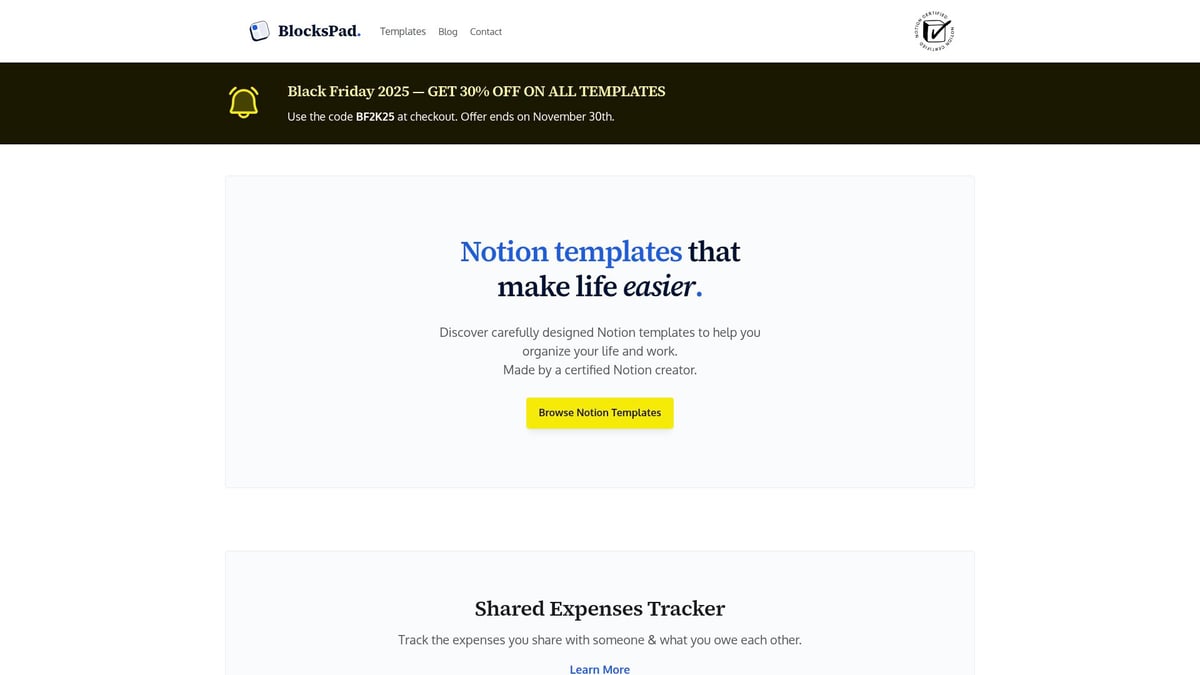
Navigating how to use notion for students can be overwhelming at first. That’s where BlocksPad comes in, offering expertly crafted Notion templates built specifically for academic success. With BlocksPad, students gain instant access to a powerful toolkit for organizing courses, assignments, and personal goals.
Why Choose BlocksPad for Student Productivity
BlocksPad’s student-focused templates are designed to simplify every aspect of academic life. Whether you’re tracking assignments, planning your semester, or organizing reading lists, each template is optimized for both efficiency and visual appeal. This approach aligns perfectly with the best practices for how to use notion for students.
Popular Templates Include:
Template Type | Benefit for Students |
|---|---|
Assignment Tracker | Never miss a deadline, track progress |
Semester Planner | Visualize the entire term at a glance |
Reading List | Organize and prioritize materials |
Weekly Planner | Structure your week with ease |
With BlocksPad, you save valuable setup time and benefit from layouts that support proven productivity methods. All templates are crafted by a certified Notion creator, ensuring they meet the real needs of students.
Exclusive Student Benefits and Support
Students can unlock a 30% discount on all premium templates simply by signing up with a university email. This makes it even easier to implement how to use notion for students without breaking the bank.
For those seeking free options or setup guidance, check out the Free Notion templates for students article for additional resources.
Real Results: Student Success Stories
One standout example is the “Weekly Planner” page inside the Student Smart Dashboard, which has helped countless students improve time management and reduce missed deadlines. Many users report feeling more organized and less stressed, making how to use notion for students both accessible and rewarding.
Ready to upgrade your academic organization? Browse the full collection of student templates at Blockspad.com and experience the difference for yourself.
Collaboration and Sharing: Working with Classmates in Notion
Collaboration is at the heart of how to use notion for students, especially when managing group projects or sharing study materials. Notion’s robust tools make working with classmates seamless, efficient, and secure.
Setting Up Shared Workspaces
To start collaborating, create a shared workspace in Notion and invite classmates using their email addresses. Assign appropriate roles, such as editor or viewer, to maintain control over who can make changes.
With how to use notion for students in mind, establishing clear permissions ensures everyone knows their responsibilities. This structure supports both small study groups and larger project teams.
Real-Time Editing and Communication
Notion enables real-time editing, allowing multiple students to work on the same page simultaneously. Use comments, @mentions, and notifications to coordinate tasks and clarify ideas.
For a deeper dive into collaborative techniques, explore Notion's Educational Applications, which outlines practical methods for group note-taking and assignment tracking. Integrating these features into your workflow is key when learning how to use notion for students.
Version Control and Content Management
Tracking changes is crucial for group assignments. Notion’s version history lets you review edits, restore previous versions, and monitor contributions.
Effective content management is a core part of how to use notion for students, ensuring that important notes and resources are organized and easily accessible. Set up clear naming conventions for pages and databases to minimize confusion.
Sharing Notes and Study Guides
Distributing lecture notes and study guides is simple in Notion. Share pages with classmates or export them as PDFs for offline access or printing.
When thinking about how to use notion for students, remember to keep resources centralized. This approach reduces duplicated effort and ensures everyone stays updated with the latest materials.
Integrating with Group Communication Tools
Notion integrates with platforms such as Slack, Discord, Zoom, and Google Meet. Embed channels or meeting links directly into shared pages for streamlined project coordination.
This integration is a practical aspect of how to use notion for students, making it easier to manage communication and scheduling from a single workspace.
Privacy and Security for Group Work
Protecting sensitive information is essential. Notion offers granular access controls, so you can limit who views or edits specific content.
Follow best practices for safe sharing, including setting expiration dates on links and restricting access to trusted classmates. Prioritizing privacy is fundamental to how to use notion for students in group settings.
Student Success Stories
Many students report improved group communication and project outcomes using Notion. According to Notion's Global User Statistics, adoption among students continues to rise, reflecting its effectiveness for collaboration.
Embracing how to use notion for students not only streamlines academic teamwork but also builds essential skills for future professional environments.
Personal Life Management: Balancing Academics and Wellbeing
Balancing academics with your personal life can be challenging, especially when deadlines and daily tasks pile up. With the right approach, students can create a system that supports both academic goals and personal wellbeing. This section breaks down how to use notion for students to organize, plan, and thrive in every aspect of life.
Time Management and Goal Setting
Effective time management starts with a clear overview of your commitments. With how to use notion for students, you can create daily, weekly, and monthly planners tailored to your schedule.
Set academic and personal goals in separate sections
Visualize progress with checklists and progress bars
Use reminders for important deadlines and milestones
Try color-coding tasks by priority. This visual cue helps you quickly identify what needs your attention. Regularly reviewing your goals in Notion keeps you accountable and focused.
Budgeting and Expense Tracking
Managing finances is a crucial part of student life. Learning how to use notion for students makes it simple to track tuition, expenses, and savings.
Set up a table to record monthly income and expenditures
Categorize expenses for better budgeting
Use built-in templates for quick setup
Month | Tuition | Rent | Food | Books | Total Expenses |
|---|---|---|---|---|---|
January | $500 | $400 | $150 | $100 | $1,150 |
February | $0 | $400 | $120 | $60 | $580 |
This kind of table helps you spot trends and adjust your spending habits over time.
Meal Planning and Health Tracking
Nutrition and wellness are vital for sustained academic performance. With how to use notion for students, you can organize meal plans, store favorite recipes, and set reminders for healthy habits.
Plan weekly meals and grocery lists in advance
Track water intake, exercise, and sleep patterns
Use toggles for quick access to recipes and workout routines
Embedding a simple checklist for daily health habits can encourage consistency and make self-care part of your routine.
Travel and Activity Planning
Student life includes more than just studying. Whether you have a weekend trip or a club event, knowing how to use notion for students helps you keep every detail in one place.
Create dedicated pages for trip itineraries and packing lists
Store travel documents and emergency contacts securely
Track extracurricular activities and deadlines
This centralized approach ensures you never miss important dates or lose track of key information when on the move.
Wellness and Mental Health Journals
Mental health is just as important as academic success. By exploring how to use notion for students, you can set up wellness journals, mood trackers, and gratitude logs.
Record daily reflections and mood ratings
Embed links to campus counseling resources
Create a gratitude log to boost positivity
Journaling in Notion provides a safe, private space to process emotions and reflect on your growth throughout the semester.
Habit Building and Personal Development
Building positive habits and tracking personal development is easier when you know how to use notion for students.
Set up habit trackers for reading, exercise, or new skills
Visualize streaks with progress bars and celebrate milestones
Organize resources for hobbies and interests
This structure makes it simple to see your achievements and stay motivated to continue growing.
Integrating Academic and Personal Dashboards
Combining academic and personal planners gives you a holistic view of your responsibilities. Create a “Life OS” dashboard that merges your study schedule, personal goals, and wellness trackers.
Link academic pages with personal reminders
Use databases to connect assignments with self-care tasks
Customize dashboards for a seamless experience
This integration helps you maintain balance and ensures nothing slips through the cracks.
Case Studies and Student Experiences
Many students report higher satisfaction and reduced stress after adopting Notion for life management. In fact, students using Notion for life management report 30% less stress during exams, reflecting the impact of effective organization.
By personalizing your workspace, you can create a system that supports both academic achievement and overall wellbeing.
Ready to take your Notion setup to the next level? We’ve covered how the right digital tools can transform your academic life, from organizing coursework to achieving a balanced routine. If you want to skip the trial and error and start with professionally designed pages, you don’t have to do it alone. BlocksPad offers carefully crafted Notion templates that save you time and help you stay on top of every class, assignment, and activity. You can browse a collection tailored for students—built by experts who understand your needs—right here:
Discover Notion Templates