12 Notion Free Templates to Supercharge Your Workflow in 2025
Discover 12 Notion free templates to streamline your workflow in 2025. Boost productivity with expert picks for project management, planning, and organization.
Notion has redefined how millions approach productivity and digital organization, offering an intuitive platform that adapts to every workflow. In this guide, we reveal the top 12 notion free templates that will transform your daily routines and help you achieve more in 2025. Explore a carefully curated collection covering project management, habit tracking, personal planning, academic tools, and more—all designed to streamline your tasks and increase efficiency. Imagine replacing scattered notes and endless to-do lists with dynamic, customizable systems that work for you. Ready to elevate your productivity? Dive in and discover the resources that can reshape the way you work and plan.
Why Use Notion Templates to Optimize Your Workflow?
Notion has emerged as a powerhouse for digital productivity, transforming how individuals and organizations manage information, tasks, and goals. Its all-in-one workspace approach lets you combine notes, databases, wikis, and more, all in a single place. In 2025, Notion’s user base has reportedly surpassed 30 million, a milestone highlighted in Notion's 2025 Productivity Statistics, showing just how widespread its adoption has become.
Whether you’re a student organizing class notes, a professional managing projects, or a team sharing knowledge bases, Notion adapts to countless workflows. The transition from paper planners to digital solutions is now the norm, and with the rise of notion free templates, anyone can elevate their productivity without starting from scratch.
The Power of Notion for Personal and Professional Productivity
Notion’s flexibility is its greatest strength. It serves as a central hub for managing projects, capturing ideas, and storing critical documents. Teams use Notion to coordinate tasks, share progress, and create living knowledge bases that evolve over time.
For individuals, Notion streamlines everything from daily to-do lists to long-term goal planning. As digital workspaces become essential, the demand for notion free templates continues to grow. These templates allow users to quickly adopt best practices and proven systems, making Notion a top choice for both personal and professional productivity in 2025.
Benefits of Using Free Templates
Notion free templates are designed to save you time and effort. Instead of building your workspace from the ground up, you can start with a template tailored to your needs. These templates are often created by productivity experts, meaning you benefit from systems that have already been tested and refined.
With notion free templates, there’s no financial barrier. You can experiment with different layouts and workflows, finding what best suits your style. Beginners appreciate the simplicity, while advanced users enjoy deep customization. Plus, the active Notion community regularly releases new templates, ensuring fresh ideas and improvements are always available.
How Templates Supercharge Workflow Efficiency
Notion free templates take the guesswork out of organizing your daily tasks, projects, and routines. By centralizing information, you reduce the need to switch between multiple apps, which helps you stay focused and avoid losing context.
Templates also bring automation to the table. Habit trackers, project dashboards, and goal-setting templates often include built-in progress bars, reminders, and integrations. This means routine tasks are handled automatically, freeing up your mental space for more important work. Shared templates also make collaboration seamless, as everyone follows the same structure and checkpoints.
When you use notion free templates, you gain a structured, efficient workflow that adapts to your needs, whether you’re working solo or as part of a team.
What to Look for in a Notion Template (2025 Edition)
Selecting the right notion free templates can make a significant difference in your productivity. Start by looking for intuitive layouts that are easy to navigate. Customization options are crucial, allowing you to tailor the template to your specific requirements.
Check that the template works well on both mobile and desktop devices. Integration with widgets, databases, and third-party tools can further enhance your workflow. Aesthetics are also important, as a visually appealing template can boost motivation and daily engagement.
Pay attention to template popularity and community feedback. Templates that are widely used and regularly updated are more likely to be reliable and effective. In 2025, the best notion free templates are those that combine usability, flexibility, and ongoing support from their creators and user communities.
12 Notion Free Templates to Supercharge Your Workflow in 2025
Looking for the best way to optimize your daily routine, manage projects, and stay organized? The following curated list spotlights the top 12 notion free templates for 2025. Each one is chosen for its ability to streamline tasks, boost productivity, and fit a wide range of needs. Whether you are a student, professional, or creative, these notion free templates are designed to help you work smarter, not harder.
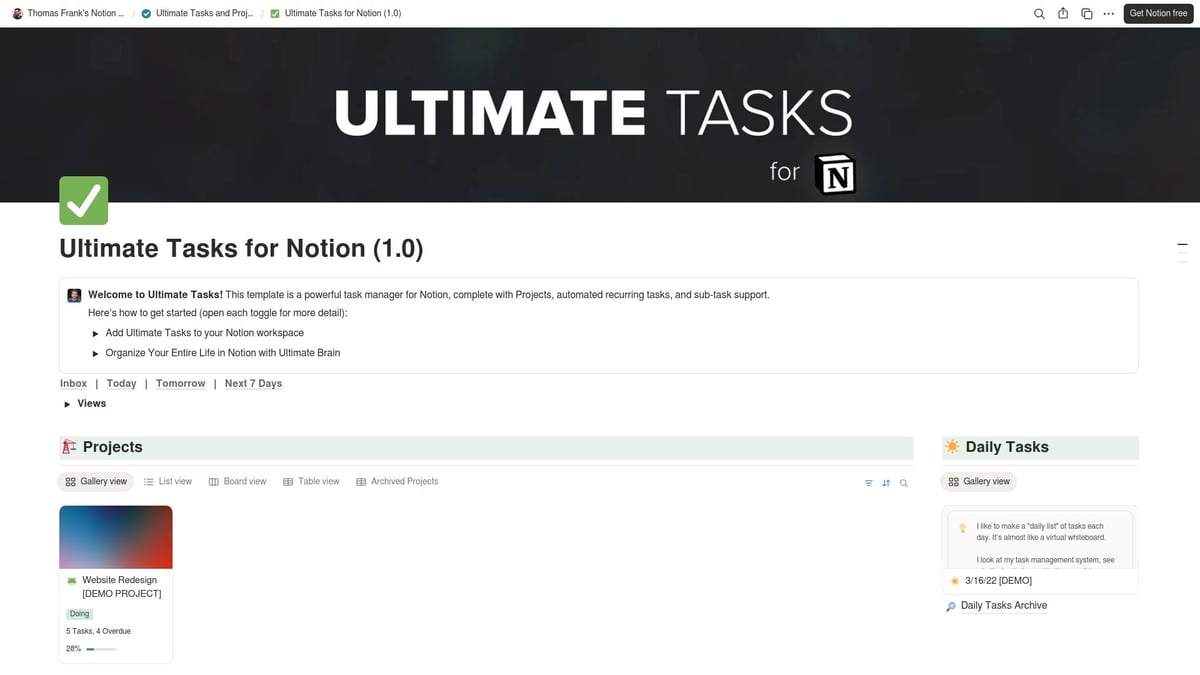
1. Tasks & Project Management by Thomas Frank
When it comes to managing tasks and projects, this robust template stands out among notion free templates. Created by renowned Notion educator Thomas Frank, it offers a comprehensive solution for professionals and students alike.
Pricing: Free
Core Features: Task database, project boards, quick links, inbox, calendar view
Key Benefits: Simplifies complex workflows, keeps tasks in order, works for solo users and teams
The template’s scalable design means you can start small and expand as your needs grow. Its intuitive interface makes onboarding easy, even if you’re new to notion free templates.
Pros: Highly customizable, robust structure, suitable for all project sizes
Cons: May be overwhelming for absolute beginners
If you are new to project management in Notion or want to explore more, check out our Project Management in Notion guide to maximize your experience.
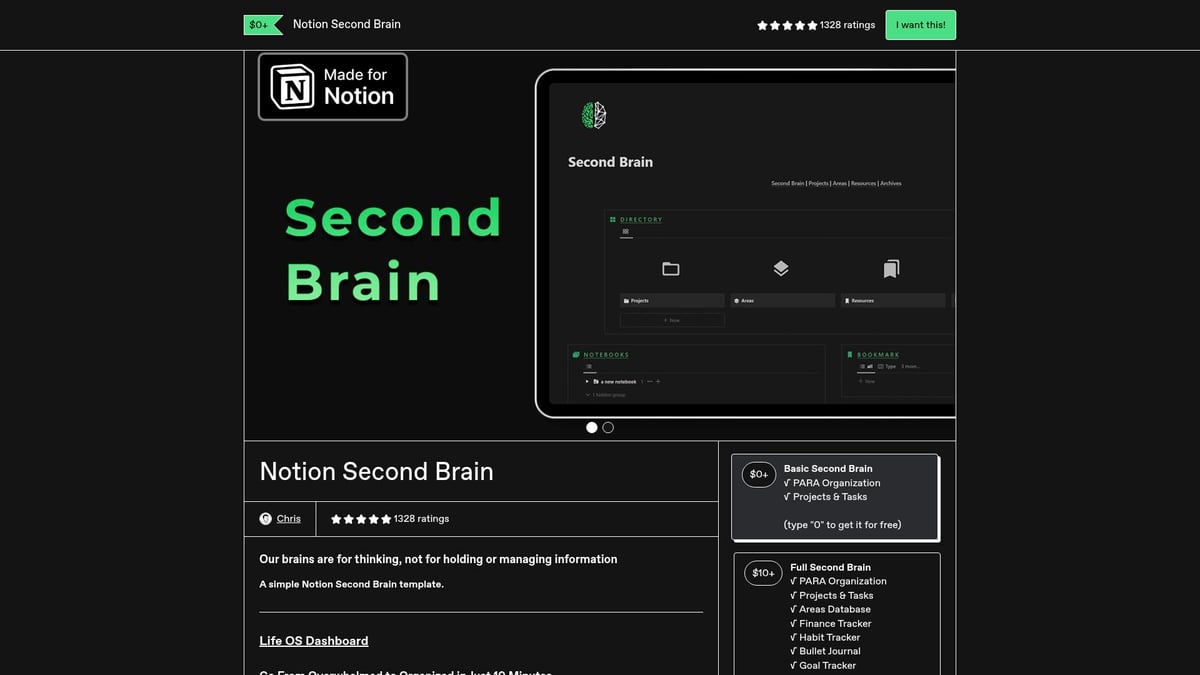
2. Minimalist Notion Second Brain
Centralizing information is critical, and among notion free templates, this Second Brain system is a favorite for knowledge management. Built around the PARA method (Projects, Areas, Resources, Archives), it helps you organize everything from notes to bookmarks.
Pricing: Free
Core Features: PARA structure, bookmarks, notes, dark mode design
Key Benefits: Supports GTD (Getting Things Done), fosters deep work
Sleek and adaptable, this template works for both personal and professional organization. Its minimalist layout keeps distractions away.
Unique Selling Point: Adapts to your workflow, whether you’re a writer, developer, or entrepreneur
Pros: Modern design, clear structure
Cons: Some initial setup may be needed
Want to learn more about the Second Brain concept? Our Notion Second Brain Explained article covers the philosophy and practical tips for using these notion free templates effectively.
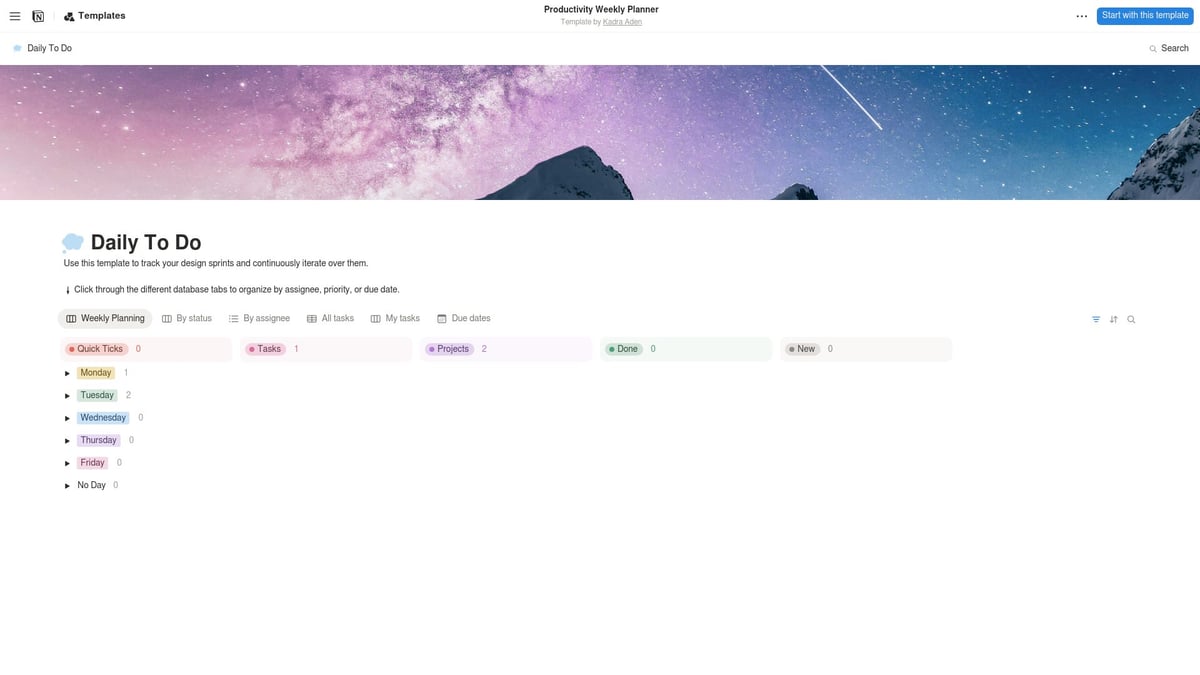
3. Productivity Weekly Planner by Kadra Aden
Weekly planning can make or break your productivity. This template, one of the most popular notion free templates for 2025, lets you visualize your workload, set priorities, and track assignments with ease.
Pricing: Free
Core Features: Weekly planning, priority sorting, assignment tracking
Key Benefits: Reduces overwhelm, clarifies focus
Its minimal learning curve and simple layout ensure that anyone can get started right away. While it excels at short-term planning, it is best paired with other notion free templates for long-term goals.
Pros: User-friendly, clear and clean design
Cons: Not ideal for yearly or monthly overviews
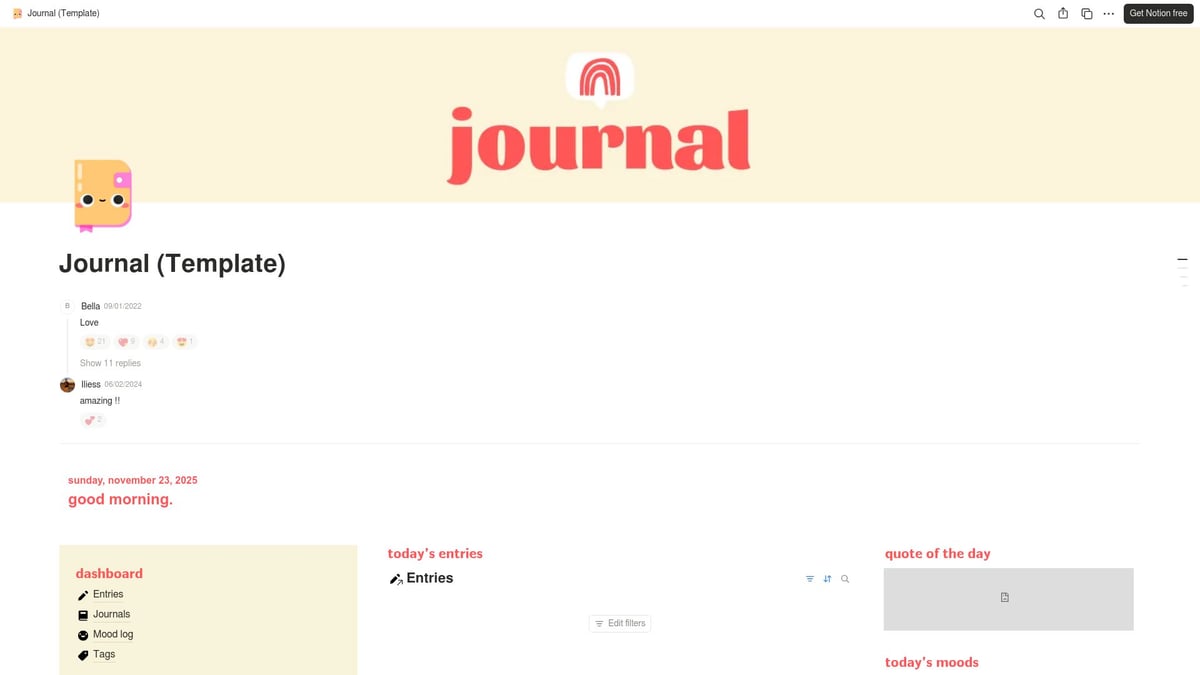
4. Journal Dashboard by EllieGons
Journaling is essential for mental clarity and emotional wellness. This dashboard stands out among notion free templates for its focus on daily reflection, gratitude, and self-care.
Pricing: Free
Core Features: Daily journal, gratitude logs, self-care categories, aesthetic icons
Key Benefits: Encourages positive habits, supports mental health
The template’s vibrant colors and built-in widgets make journaling enjoyable and engaging. It’s perfect for anyone seeking a safe space for thoughts and feelings.
Pros: Visually appealing, comprehensive
Cons: Less suited for project management
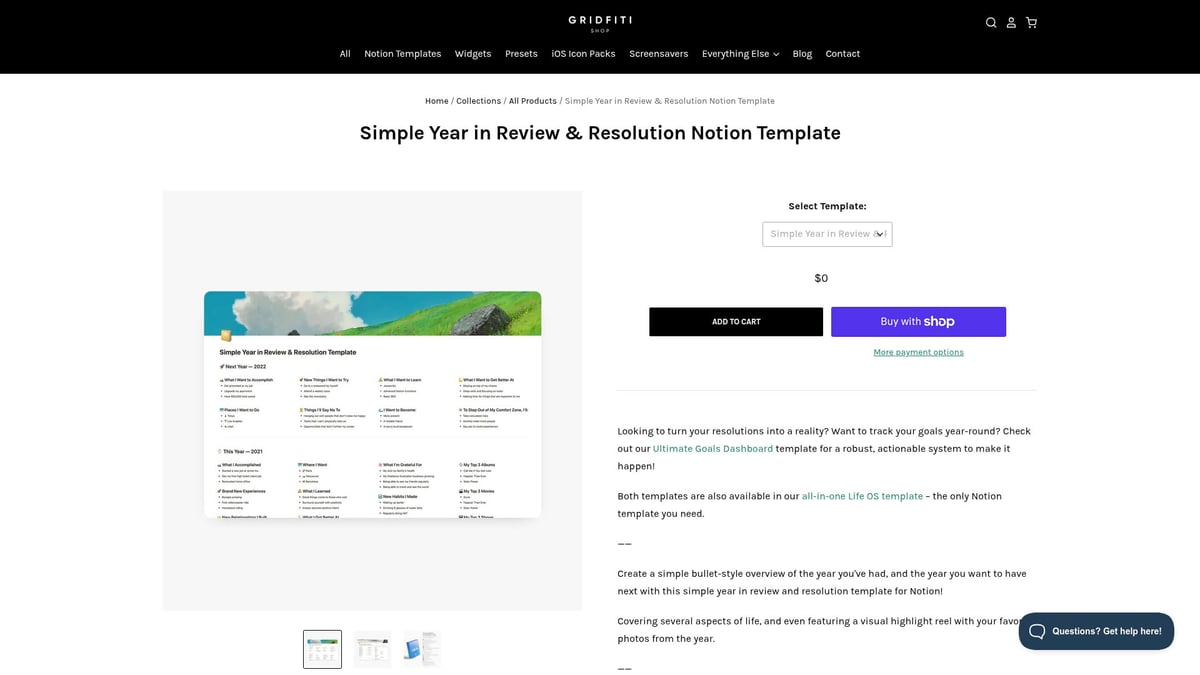
5. Year in Review by Gridfiti
Reflecting on your year helps you grow. This template, a staple among notion free templates, guides you through annual reflection, goal setting, and memory tracking.
Pricing: Free
Core Features: Annual review, vision board, memory tracking
Key Benefits: Promotes self-awareness, motivates future planning
Its simple columns and lists cover all areas of life, from career to wellness. Use it at the end of each year to celebrate wins and set new intentions.
Pros: Holistic, motivational
Cons: Not designed for daily or weekly use
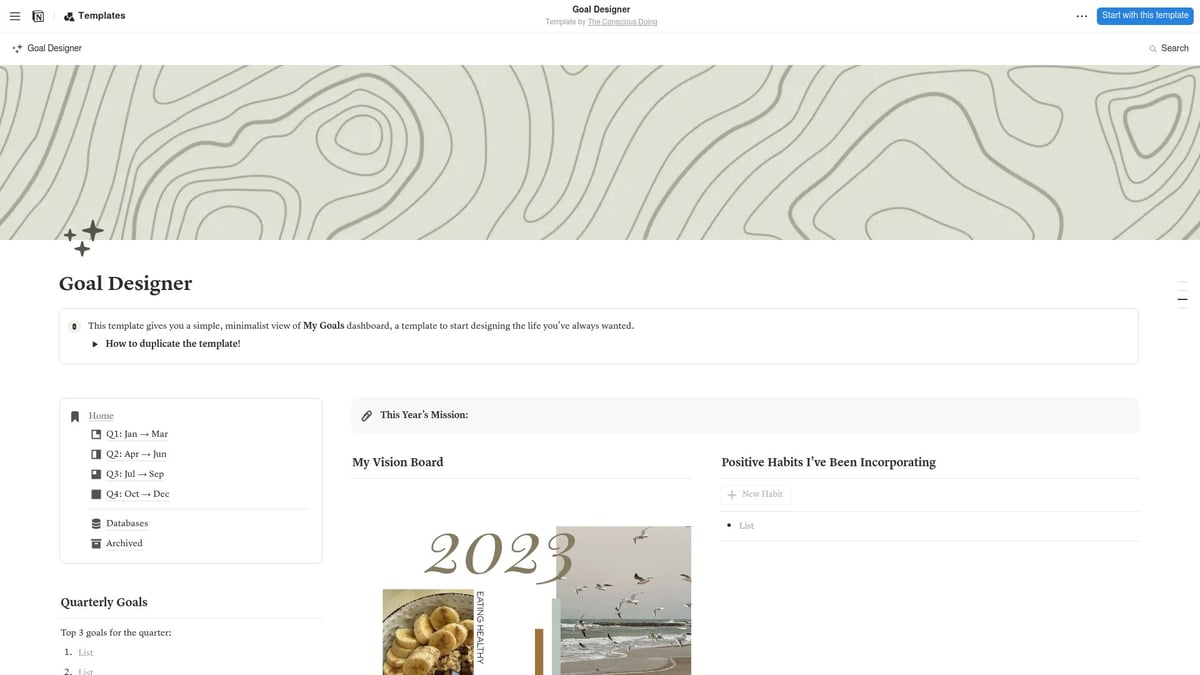
6. Goal Designer Dashboard by The Conscious Doing
Setting and tracking goals is easier with specialized notion free templates. The Goal Designer Dashboard lets you visualize ambitions, track habits, and break goals into actionable steps.
Pricing: Free
Core Features: Vision board, habit tracker, quarterly goals
Key Benefits: Inspires consistency, makes progress visible
Its minimalist aesthetic and modern interface keep you focused. Manifestations and affirmations are integrated for extra motivation.
Pros: Inspiring visuals, structured for personal growth
Cons: May lack advanced automation
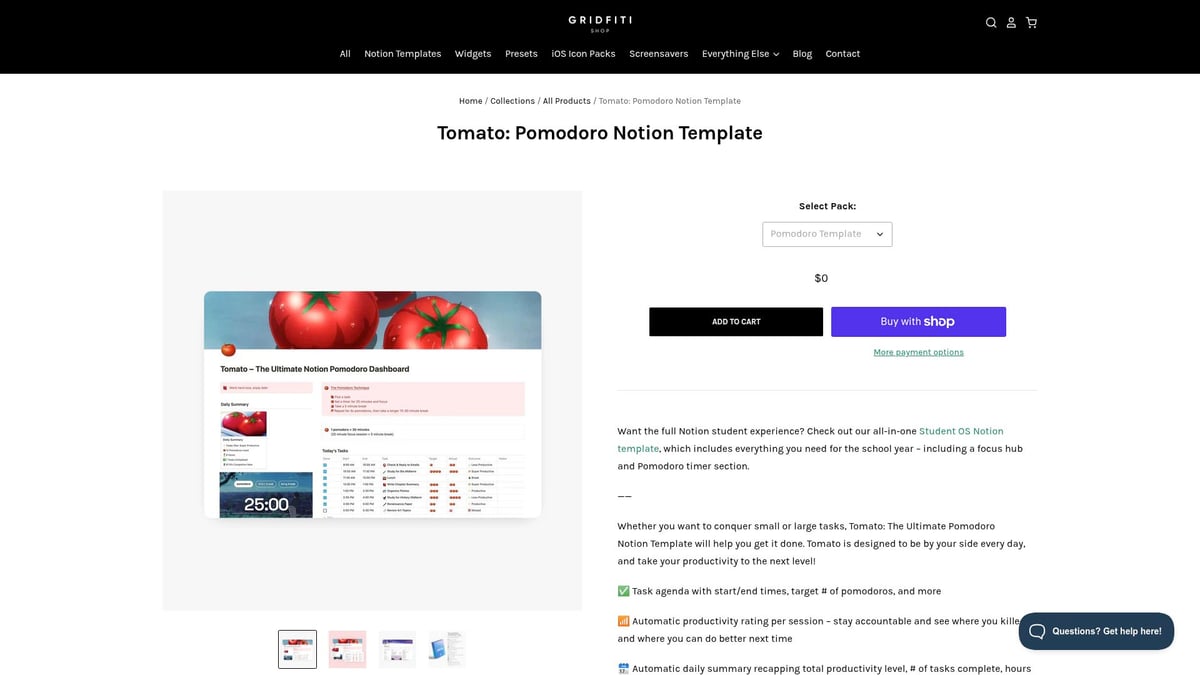
7. Pomodoro Study Template by Gridfiti
Time management is crucial, and this is one of the most effective notion free templates for those who practice the Pomodoro Technique. It includes a built-in timer and productivity ratings.
Pricing: Free
Core Features: Pomodoro timer, daily summaries, productivity ratings
Key Benefits: Boosts focus, supports time-blocking
Track your sessions, review daily summaries, and rate your productivity. It is ideal for students and professionals who want to get more done in less time.
Pros: Easy to use, effective for deep work
Cons: Best for users already familiar with Pomodoro
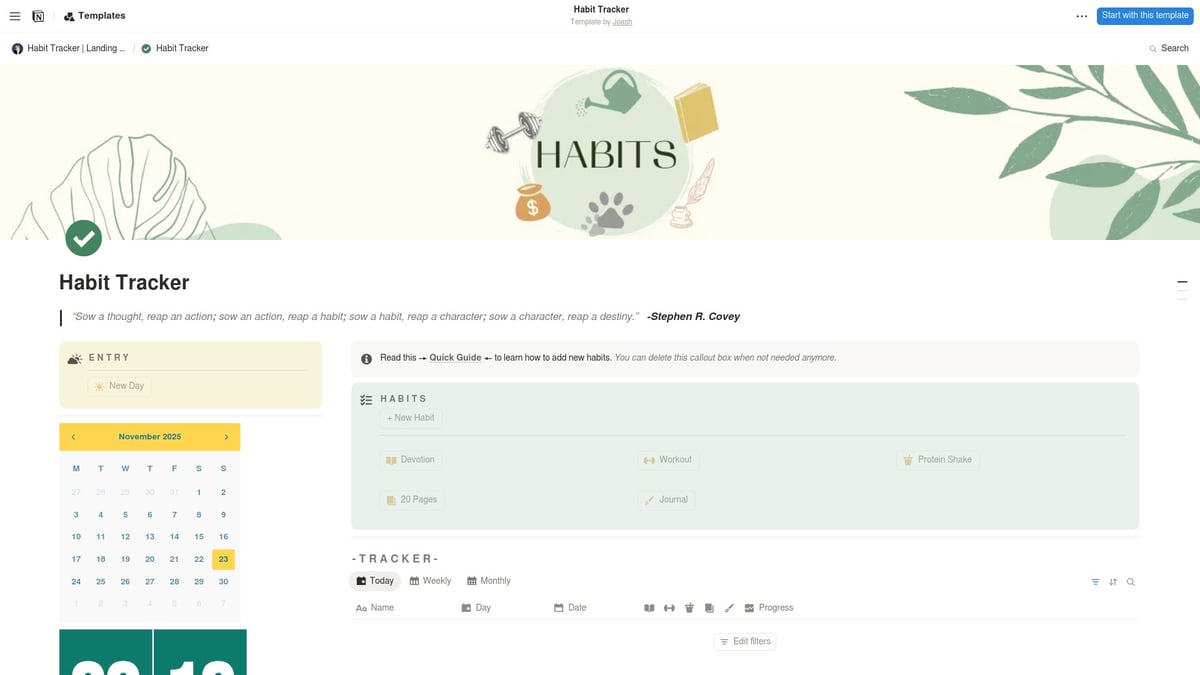
8. Aesthetic Habit Tracker Dashboard by Joash
Building habits is easier when you enjoy the process. This pastel-themed template is one of the most beautiful notion free templates for habit tracking.
Pricing: Free
Core Features: Monthly calendar, milestone tracking, daily reflections
Key Benefits: Encourages consistency, makes progress visible
Its clean, user-friendly design makes habit tracking enjoyable. Daily reflections help reinforce positive routines.
Pros: Visually stunning, simple navigation
Cons: Focused on habits, not broader planning
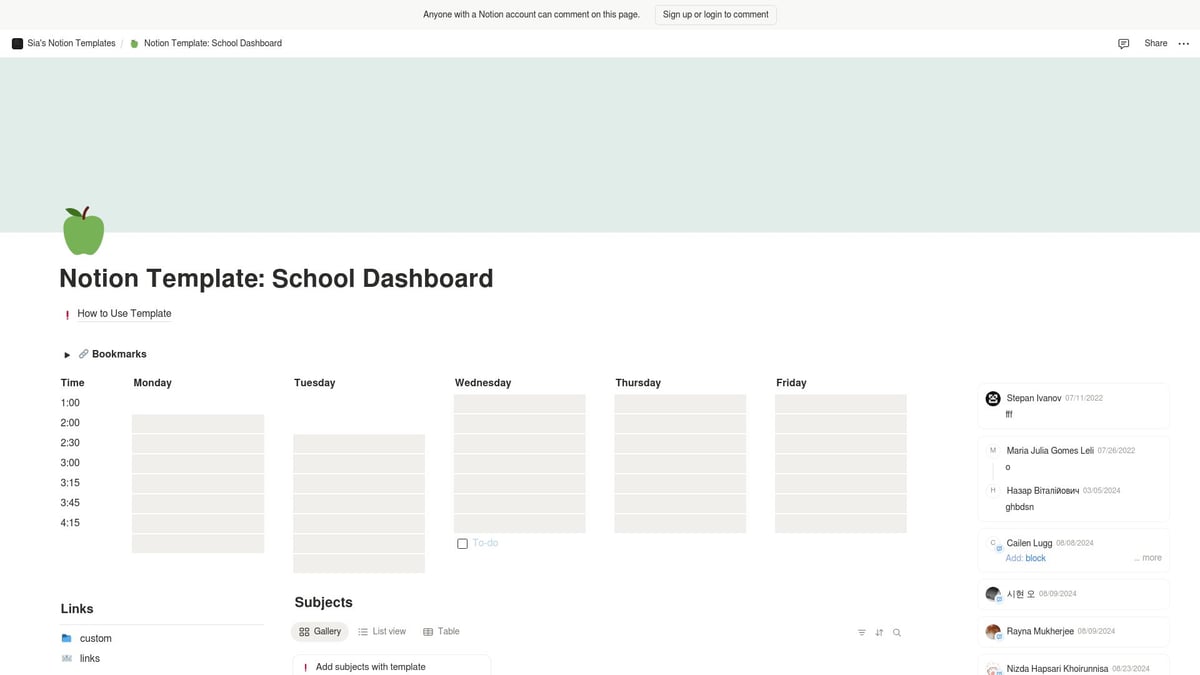
9. School Dashboard by @keewpiie
For students, academic organization is everything. This school dashboard is among the most practical notion free templates for managing classes, notes, and schedules.
Pricing: Free
Core Features: Timetable, subject organization, class notes
Key Benefits: Keeps assignments and deadlines in check
Its no-frills approach makes it perfect for high school, college, or university students who want to stay on top of their studies.
Pros: Straightforward, tailored for academics
Cons: Limited use for non-students
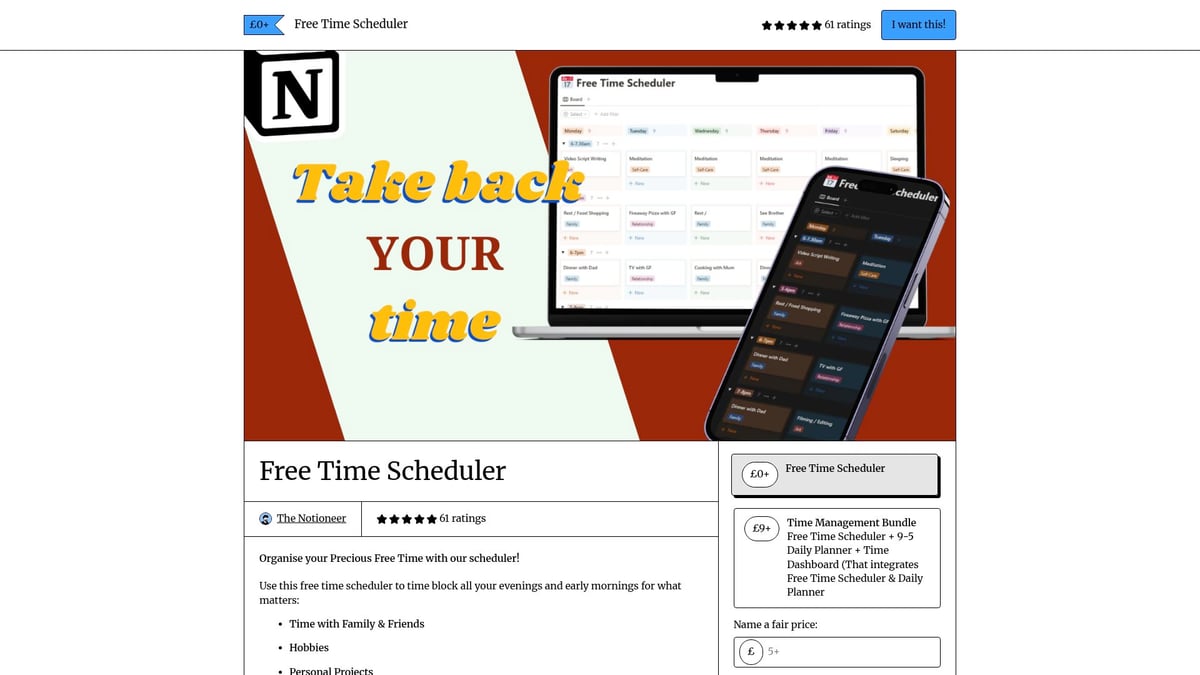
10. Free Time Scheduler by The Notioneer
Balancing work and leisure can be challenging. This template shines among notion free templates for scheduling downtime and preventing burnout.
Pricing: Free
Core Features: Time block scheduling, evening/weekend planning, clear calendar
Key Benefits: Maximizes balance, automates free time allocation
It’s easy to adjust, making it ideal for busy professionals, parents, and students alike.
Pros: Prevents burnout, intuitive
Cons: Not suited for complex project management
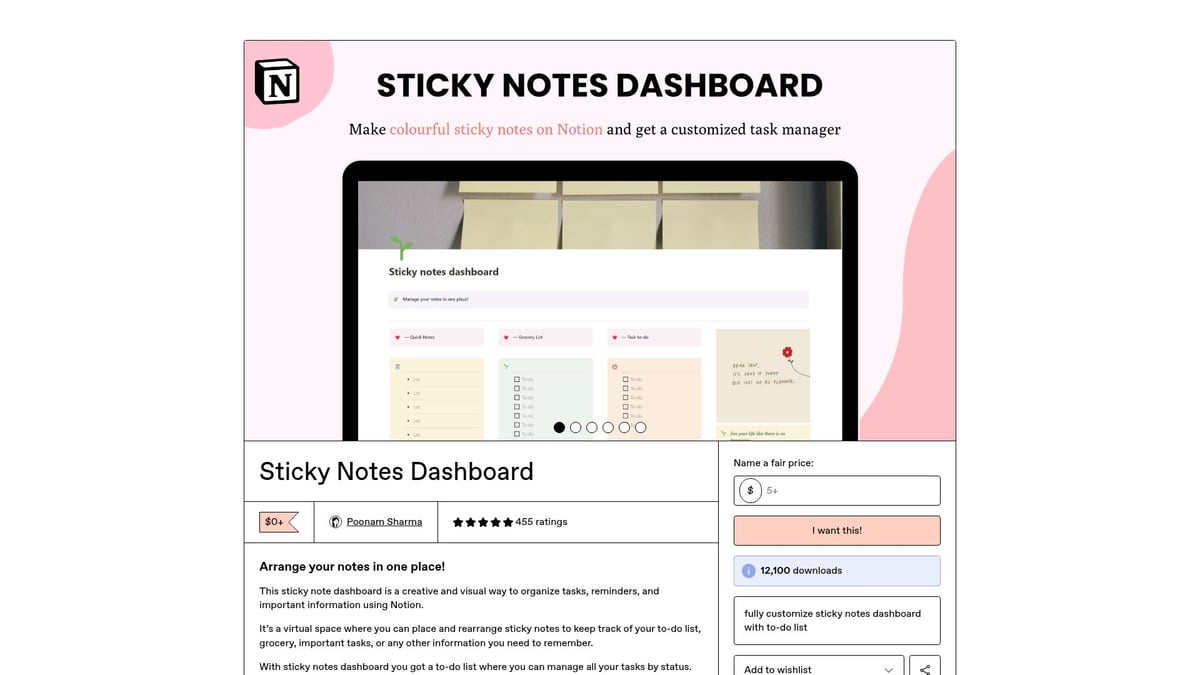
11. Sticky Notes Dashboard by Poonam Sharma
Visual learners will love this dashboard, which brings the tactile feel of sticky notes into the digital world. Among notion free templates, it stands out for creativity and customization.
Pricing: Free
Core Features: Colored callout blocks, tasks database, DIY sticky notes
Key Benefits: Mimics analog notes, highly visual
Customize your digital notes, categorize tasks, and enjoy a playful approach to organization.
Pros: Fun, tactile experience
Cons: Manual setup may be needed for complex systems
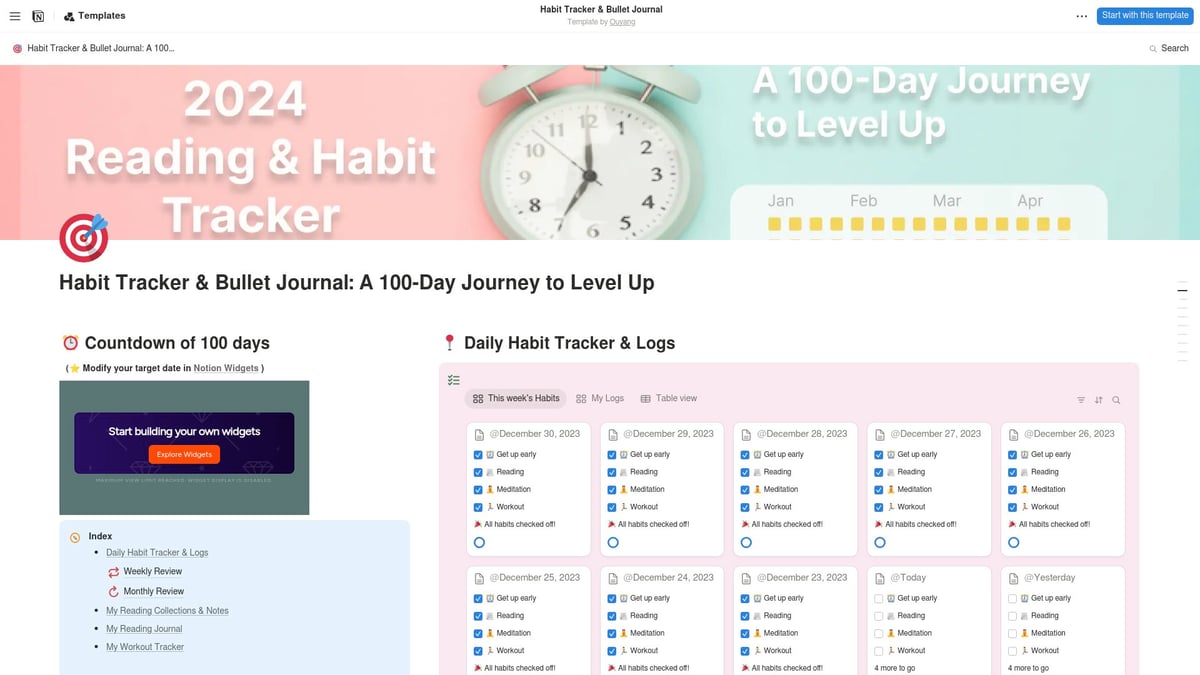
12. Habit Tracking & Bullet Journaling Template by u/Swimming-Weather-127
For those who want to gamify their routines, this template is a top contender among notion free templates. It combines habit tracking, bullet journaling, reading lists, and motivational widgets.
Pricing: Free
Core Features: 100-day bullet journal, daily checklists, reading lists, countdown/streak widgets
Key Benefits: Builds discipline, tracks progress, motivates with gamification
Its comprehensive approach keeps you engaged and accountable, making it perfect for those who enjoy a detailed system.
Pros: Engaging, covers multiple needs
Cons: May be too detailed for minimalists
These notion free templates are just the beginning. Experiment with a few to find the right fit for your workflow and unlock new levels of productivity in 2025.
How to Choose the Best Notion Template for Your Needs
Selecting the right notion free templates can transform your workflow, but the process is more strategic than simply picking a popular option. Consider these essential steps to make an informed choice.
Assess Your Workflow and Pain Points
Begin by identifying where your current system falls short. Are you losing track of deadlines or struggling to manage academic schedules? Notion free templates can address specific bottlenecks, whether you need a personal planner, an academic dashboard, or a project management hub.
Map out your daily tasks
Note recurring challenges
Decide if your focus is personal, academic, or professional
Choosing templates tailored to your needs ensures you get the most value.
Consider Customization and Scalability
Not all notion free templates offer the same level of flexibility. Look for templates with modular databases and easy customization options. Ask yourself if the template can grow with your evolving goals.
Modular structures support expansion
Flexible layouts adapt to workflow changes
Second Brain templates are known for deep customization
This approach helps future-proof your system and prevents the need for frequent overhauls.
Evaluate Design and Usability
The design of notion free templates can greatly influence your motivation to use them daily. Select layouts that match your visual preferences, whether you prefer minimalist designs for focus or pastel dashboards for creative inspiration.
Aesthetics enhance user engagement
Clean interfaces promote clarity
Test for intuitive navigation
A template that feels comfortable will support consistent productivity.
Integration with Other Tools and Widgets
Many notion free templates offer built-in widgets, timers, and progress bars. Check if your chosen template works well with your favorite Notion add-ons and integrates with external tools you rely on.
Timer widgets for focused sessions
Countdown blocks for deadlines
Compatibility with third-party integrations
A well-integrated template streamlines your workflow and reduces tool-switching.
Community Support and Updates
Templates from active creators or large communities are more likely to receive updates and improvements. Community feedback can reveal hidden features or potential issues in notion free templates.
Regular updates enhance reliability
Feedback highlights best practices
Well-supported templates evolve with user needs
Prioritize templates with strong community backing for long-term success.
Test Before Committing
Most notion free templates can be duplicated and tested risk-free. Experiment with different layouts and systems to determine which fits best. For a helpful walkthrough on how to duplicate and customize templates, see this How to Use Notion Templates guide.
Duplicate templates before making changes
Try several to compare usability
Refine based on real-world use
Testing ensures you invest your time in a template that truly enhances your workflow.
Tips for Maximizing Productivity with Notion Templates
Unlocking the full value of notion free templates requires smart strategies and regular optimization. The right approach will help you streamline tasks, automate routines, and maintain a workspace that truly fits your goals.
Set Clear Goals and Track Progress
Begin by defining what you want to achieve with notion free templates. Set measurable goals within your dashboards, using built-in features for tracking progress. For example, templates like Year in Review and Goal Designer help you visualize objectives and mark milestones.
Create SMART goals in your templates
Use progress bars and checklists for accountability
Review achievements regularly
Tracking progress keeps your motivation high and your workflow focused.
Automate Routine Tasks
Automate as much as possible to save time. Notion free templates often include recurring task features, reminders, and integrations with external tools. The Free Time Scheduler template, for instance, lets you automate time blocking for both work and leisure.
Set up automatic reminders for important dates
Use recurring tasks for daily or weekly routines
Integrate with calendar or task apps as needed
Automation reduces manual effort and ensures nothing slips through the cracks.
Regularly Review and Update Your System
A productive Notion setup is never static. Schedule weekly or monthly reviews to ensure your notion free templates remain relevant to your evolving needs. The Weekly Planner’s review sections can prompt you to reflect and adjust your workflow.
Archive outdated tasks and projects
Update goals based on recent achievements
Refresh template layouts for visual appeal
Consistent reviews help you stay organized and responsive to change.
Collaborate and Share with Teams or Study Groups
Many notion free templates are designed for collaboration, making them ideal for teams or academic groups. Templates like Project Management by Thomas Frank allow for real-time updates and shared accountability.
Assign tasks to team members directly in templates
Share dashboards with group members
Track joint progress using shared boards
Collaboration features foster teamwork and keep everyone on the same page.
Combine Multiple Templates for a Custom Workspace
Mix and match notion free templates to build a tailored dashboard that reflects your unique workflow. For inspiration and guidance, consult resources such as the Notion Dashboard Templates Guide.
Integrate habit trackers with project management boards
Add a journal section to your daily planner
Customize dashboard layouts for easy navigation
Combining templates creates a one-stop workspace that adapts to your needs.
Stay Inspired with Community Resources
Keep your productivity system fresh by connecting with the Notion community. Follow creators, explore forums, and try new notion free templates as they are released.
Join Notion-related online groups and forums
Subscribe to newsletters from top template creators
Experiment with trending templates for new ideas
Staying engaged with the community brings fresh perspectives and continuous improvements.
Frequently Asked Questions About Free Notion Templates
Navigating the world of notion free templates can bring up plenty of questions. Below, we answer the most common concerns to help you make the most of these powerful resources for your workflow.
Are Free Notion Templates Safe to Use?
Most notion free templates from reputable creators are safe to use. Always review permissions before duplicating a template into your workspace. Notion’s vast user base and trusted reputation, highlighted in Notion's Company Information and Statistics, reflect its commitment to security. Duplicate templates to avoid altering originals.
Can I Customize Free Templates?
Absolutely. Notion free templates are designed to be fully customizable. You can edit layouts, add new databases, or adjust properties to fit your needs. This flexibility means you can tailor any template to your specific workflow, whether for personal, academic, or professional use. Experiment with different structures to find your ideal setup.
How Often Are Free Templates Updated?
Popular notion free templates are regularly updated by their creators, especially those with large community followings. Updates may include bug fixes, new features, or design improvements. Stay connected with template authors through Notion’s community platforms or their websites for announcements on new releases or changes.
What’s the Difference Between Free and Premium Templates?
The primary difference is in advanced features and dedicated support. Premium templates might offer more sophisticated automation, unique layouts, or personal assistance. However, many notion free templates are robust and offer all the core features most users need. Trying free options first helps you decide if you require premium upgrades.
Where Can I Find More Free Notion Templates?
You can find a wide range of notion free templates in Notion’s official template gallery, creator websites, and active community forums. Exploring these resources lets you discover new tools and stay updated with the latest trends. Always test several templates to find those that best enhance your workflow.
Now that you’ve seen how the right Notion templates can transform the way you organize, plan, and achieve your goals, why not take the next step? Whether you’re managing projects, tracking habits, or planning your week, having well-designed resources makes all the difference. At BlocksPad, you’ll find templates crafted with care by professionals who understand real-world productivity challenges. If you’re ready to streamline your workflow and unlock new levels of efficiency in 2025, I invite you to Discover Notion Templates that fit your style and needs. Explore, experiment, and make your workspace truly yours.