Top 10 Notion Templates for Students to Boost Productivity 2026
Discover the top 10 Notion templates for students to boost productivity in 2026. Streamline assignments, notes, and planning for better grades and less stress.
Every year, students face a growing challenge: staying organized and productive amid a flood of assignments, deadlines, and distractions. In 2026, the demand for smarter tools is higher than ever.
Notion has emerged as a game-changer for academic success, offering students a flexible platform to manage every aspect of their studies. This article reveals the top 10 notion templates for students that promise better grades and less stress.
You will discover templates designed for assignment tracking, study planning, note-taking, and more. Explore how these 2026-optimized solutions can help you streamline your student life and achieve your academic goals.
Why Notion Templates Are Essential for Student Productivity in 2026
Students in 2026 are experiencing a dramatic shift in how they manage academic responsibilities. The transition from traditional paper planners to digital organization tools is now the norm. More learners are adopting Notion templates for students, leveraging their flexibility to stay on top of demanding schedules.
The Rise of Digital Organization Tools
Over the past few years, students have moved away from paper planners, embracing digital solutions that offer more flexibility and integration. Notion templates for students have quickly become a favorite, thanks to their ability to centralize all academic tasks. According to recent studies, Notion’s user base in educational settings has grown significantly, with thousands of students citing improved productivity.
Key Productivity Challenges Faced by Students
Modern learners juggle numerous responsibilities, making it easy to feel overwhelmed. Common struggles include:
Tracking assignments and due dates
Managing time effectively
Handling information overload from classes and extracurriculars
Notion templates for students solve these problems by providing structured systems that help students organize, prioritize, and manage their workload with less stress.
Core Benefits of Using Notion Templates
Notion templates for students create a centralized workspace where everything from study schedules to notes and deadlines is easily accessible. Their customizability means each student can tailor their setup. Real-time collaboration is another standout benefit, enabling group projects and shared notes. For practical advice on getting started, check out this How to Use Notion for Students guide, which outlines key strategies for maximizing Notion’s academic potential.
What Makes a Great Notion Template for Students?
A standout template must be intuitive, with an easy-to-navigate layout. Automation, mobile compatibility, and academic-specific tools (like grade calculators) are essential. Many top-rated templates offer:
Drag-and-drop scheduling
Automated reminders
Clean, distraction-free designs
Popular templates from competitor articles often include customizable dashboards and seamless integration with other study tools.
How Notion Templates Evolve with Student Needs
Each academic year brings new challenges, and notion templates for students adapt accordingly. In 2026, trends include AI-powered automation, dynamic dashboards, and enhanced visuals. These updates ensure students benefit from the latest productivity innovations without needing to overhaul their systems.
Examples of Notion Success Stories
Many students report significant improvements in grades and time management after adopting Notion. Testimonials highlight increased focus, fewer missed deadlines, and better collaboration. Competitor articles note a surge in user growth, especially among students balancing coursework and extracurriculars.
Choosing the Right Template: Key Considerations
When selecting a template, keep this checklist in mind:
Compatibility with your device and workflow
Key features that match your academic needs
Price (free vs. paid)
Peer reviews and ratings
Align your choice with your personal learning style and workload for the best results.
Top 10 Notion Templates for Students to Boost Productivity 2026
Staying ahead in 2026 means leveraging the best digital tools for academic success. The right notion templates for students can make all the difference, transforming scattered notes and deadlines into a streamlined, organized system. In this section, we present the top 10 Notion templates for students, carefully selected for usability, relevance, unique features, and authentic student feedback. Whether you need a comprehensive dashboard or a focused study planner, these templates are designed to elevate your productivity and make student life more manageable.
Student OS: All-in-One Notion Student Template
Student OS stands out among notion templates for students, offering a complete academic management solution. With an integrated calendar, assignment tracker, grade calculator, habit tracker, and study planner, this template centralizes every aspect of student life.
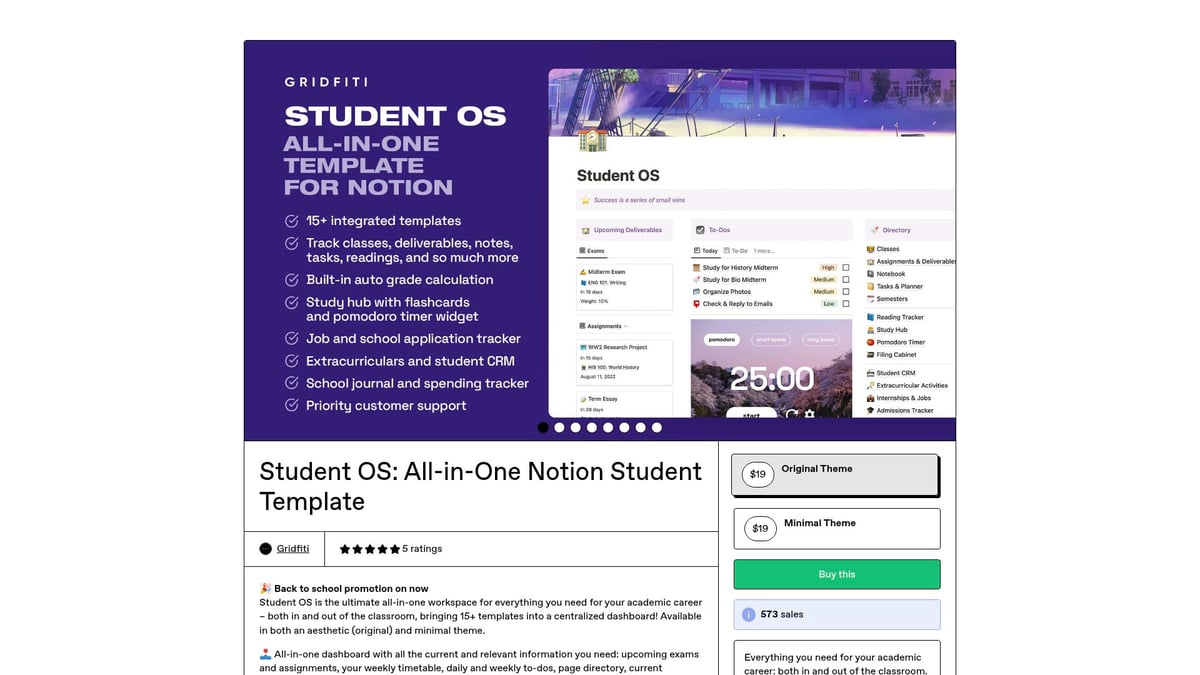
Core Features:
Unified dashboard for assignments, schedules, and grades
Habit and goal trackers to encourage consistency
Automation for recurring tasks and reminders
Benefits & Unique Points:
Student OS reduces the need for multiple apps, offering an aesthetic design with customizable dashboards. Its automation features save time, while the interface remains visually appealing and scalable for multiple semesters.
Ideal For:
University and high school students seeking a comprehensive, all-in-one solution.
Pros:
Time-saving automation
Visually inspiring layouts
Scalable for long-term use
Cons:
Initial learning curve
Premium pricing, though student discounts are often available
Thousands globally rely on Student OS to manage coursework and extracurriculars, proving its value as an essential notion template for students.
Notion Student OS Dashboard
The Notion Student OS Dashboard is engineered to streamline academic tasks. This option shines in the realm of notion templates for students juggling multiple courses and project deadlines.
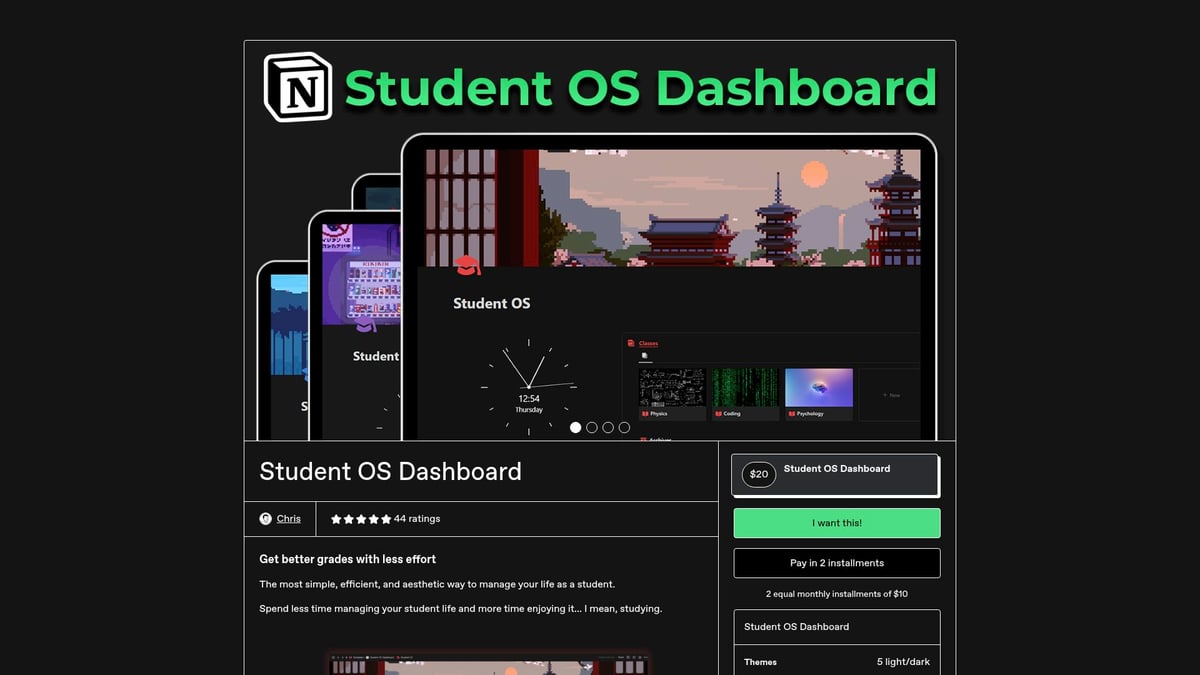
Core Features:
Task management and class scheduling
Exam preparation modules
Project and assignment tracker
Benefits & Unique Points:
Designed by a certified Notion creator, it boasts a clean layout and receives regular updates based on user feedback. The dashboard is intuitive, making it ideal for STEM students handling complex assignments.
Pros:
Easy navigation
Robust support and ongoing improvements
Cons:
Some advanced features require setup
STEM students, in particular, have praised its ability to keep projects and deadlines under control, making it a top contender among notion templates for students.
Green & Matcha Notion Student Planner
For those who value wellness and aesthetics, the Green & Matcha Notion Student Planner brings a calming, motivational vibe to student organization. It is one of the most visually distinctive notion templates for students.
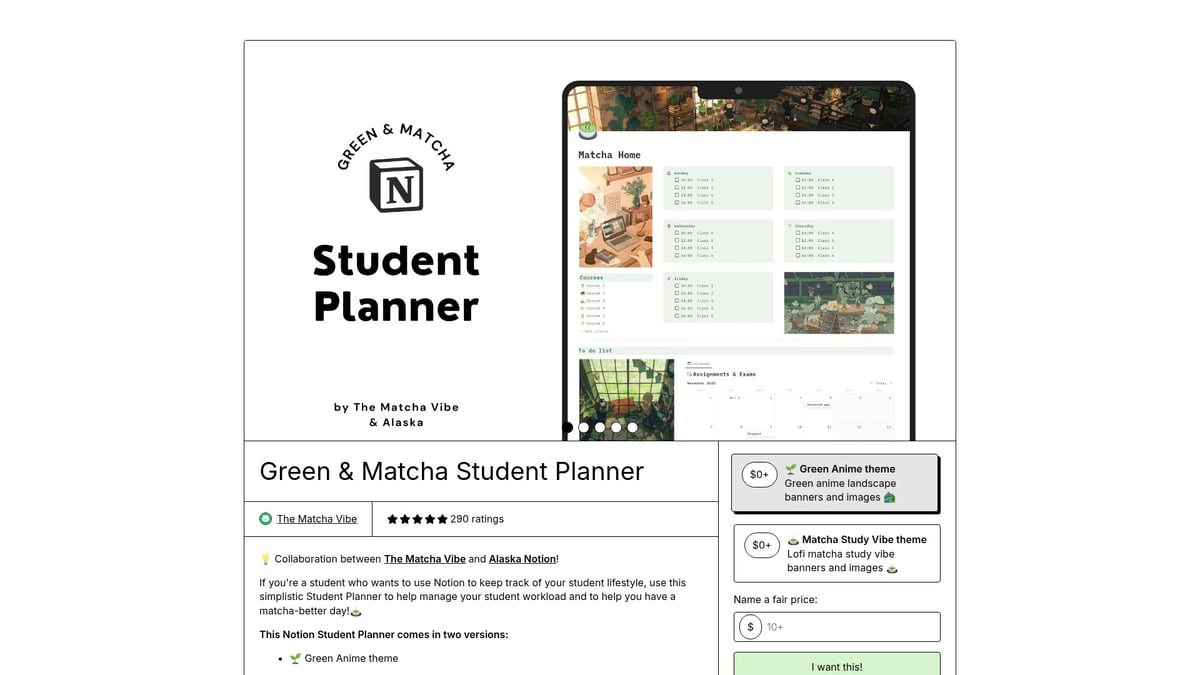
Core Features:
Weekly and monthly planning
To-do lists and exam countdown timers
Motivational prompts for self-care
Benefits & Unique Points:
The matcha-themed design encourages mindfulness and planning consistency. While it focuses more on planning than grade tracking, its easy customization and inspiring visuals help students build healthy study habits.
Pros:
Aesthetic appeal
Supports goal-setting
Simple customization
Cons:
Limited automation
Less focus on academic tracking
Arts and humanities students often choose this template to balance study demands with personal wellness, showing the versatility of notion templates for students.
Notion Assignment Tracker for Students
If assignment management is your biggest challenge, the Notion Assignment Tracker for Students is a straightforward solution. It is one of the most practical and lightweight notion templates for students, especially for those with heavy homework loads.
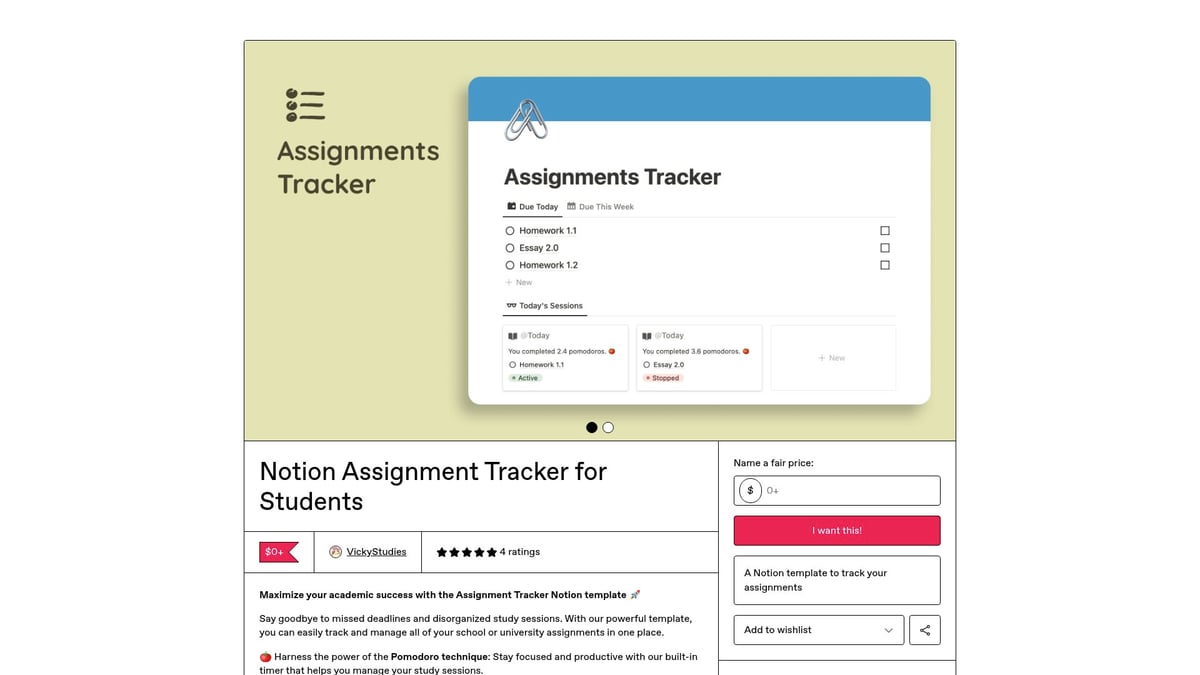
Core Features:
Assignment due dates and progress tracker
Submission reminders
Color-coded status indicators
Benefits & Unique Points:
Its simple interface and mobile-friendly design make it accessible to all students. The availability of both free and paid versions ensures accessibility, regardless of budget.
Pros:
Fast setup
No cost for the basic version
Lightweight and efficient
Cons:
Limited to assignment tracking
Lacks broader planning tools
High school and college students frequently download this template to avoid missed deadlines, demonstrating the practical power of notion templates for students.
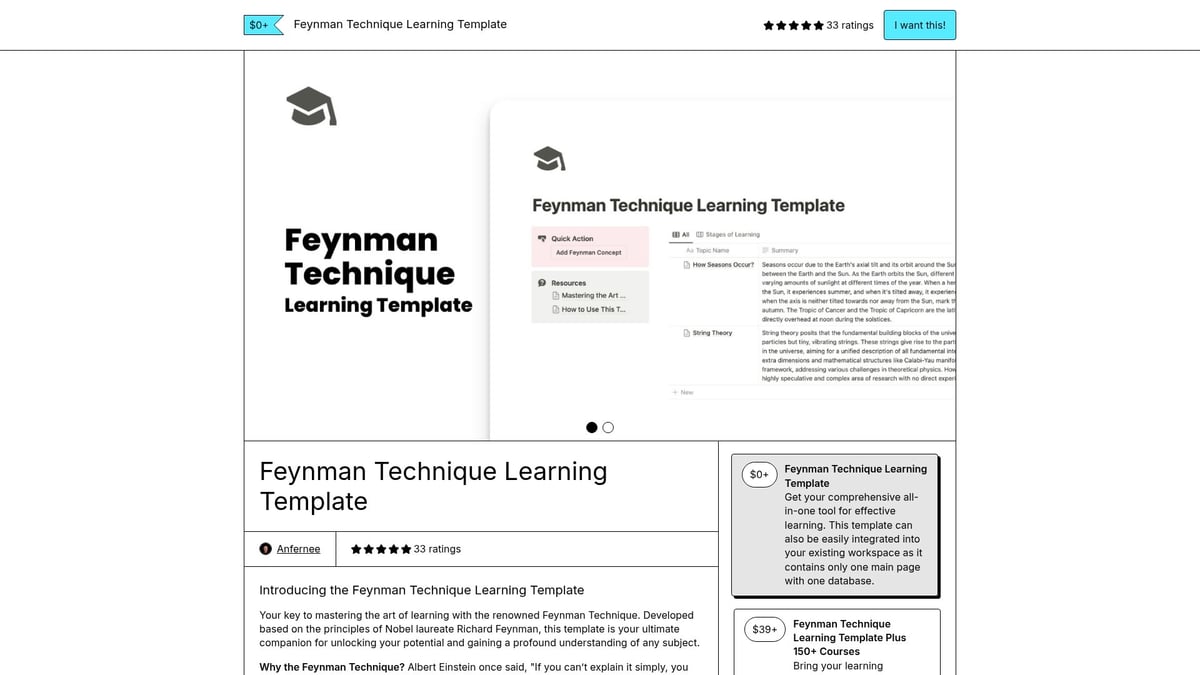
Feynman Technique Learning Notion Study Template
For students seeking deep understanding, the Feynman Technique Learning Notion Study Template is a science-backed choice. Among notion templates for students, it is unique in its focus on comprehension and retention.
Core Features:
Guided Feynman study method
Section breakdowns for complex topics
Progress logging
Benefits & Unique Points:
Based on the proven Feynman learning technique, this template promotes active recall and long-term memory. It is especially helpful for exam preparation in challenging subjects.
Pros:
Boosts concept mastery
Encourages active engagement
Cons:
Niche application
Less useful for general planning
Medical and engineering students often rely on this template for exam prep, leveraging the strengths of specialized notion templates for students.
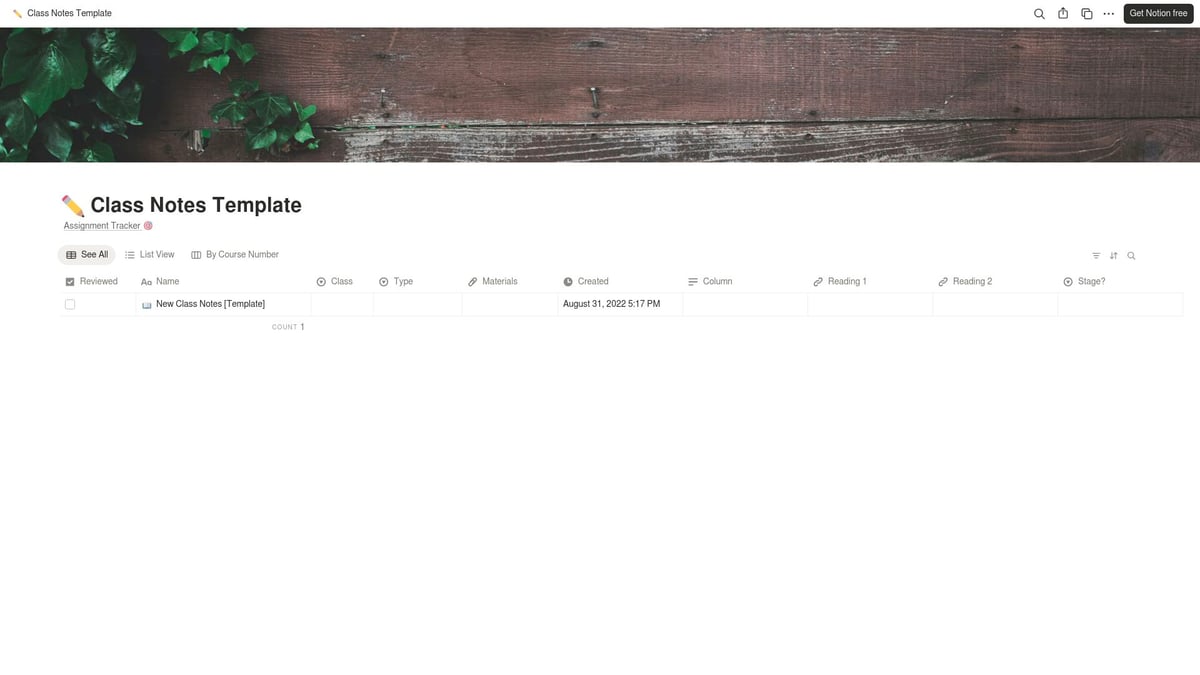
Class Notes Notion Template for Students
Efficient note-taking is vital, and the Class Notes Notion Template for Students provides a simple, effective solution. It exemplifies how notion templates for students can enhance organization without complexity.
Core Features:
Organized note sections with tagging
Searchable content
Multimedia support
Benefits & Unique Points:
With a free, minimalist design, this template allows for fast note entry and easy sharing. It supports collaborative note-taking, making it a favorite in university settings.
Pros:
No cost
Collaborative features
Minimal learning curve
Cons:
Lacks advanced planning tools
Students across disciplines use this template for lectures and readings, proving that simple notion templates for students can have a big impact.
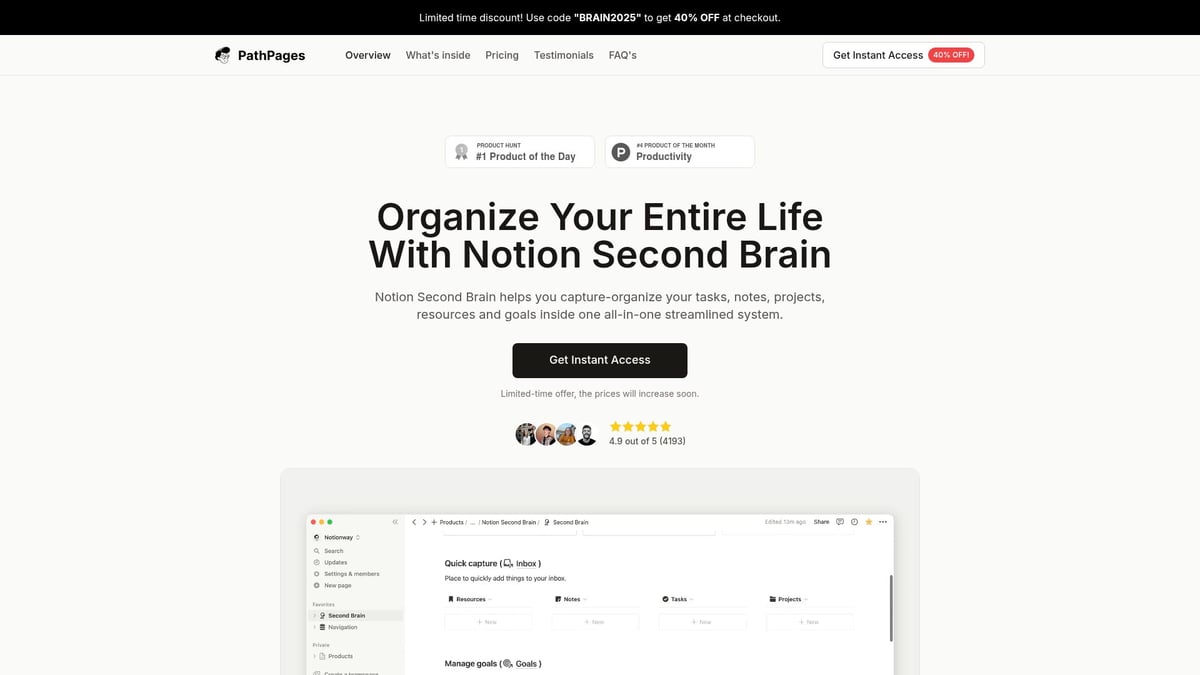
Notion Second Brain
The Notion Second Brain template is inspired by productivity experts and offers a robust system for managing tasks, notes, and projects. It is one of the most advanced notion templates for students, ideal for those balancing academics and personal projects.
Core Features:
PARA and GTD frameworks for organization
Knowledge base and project management
Scalable for personal and academic use
Benefits & Unique Points:
Highly customizable, it adapts to complex workflows. While it carries a premium price, its flexibility makes it suitable for graduate students or those managing multiple commitments.
Pros:
Powerful and flexible
Scalable for advanced users
Cons:
Overkill for simple needs
Higher price point
Graduate students often choose this template to integrate coursework and side projects, highlighting the potential of comprehensive notion templates for students.
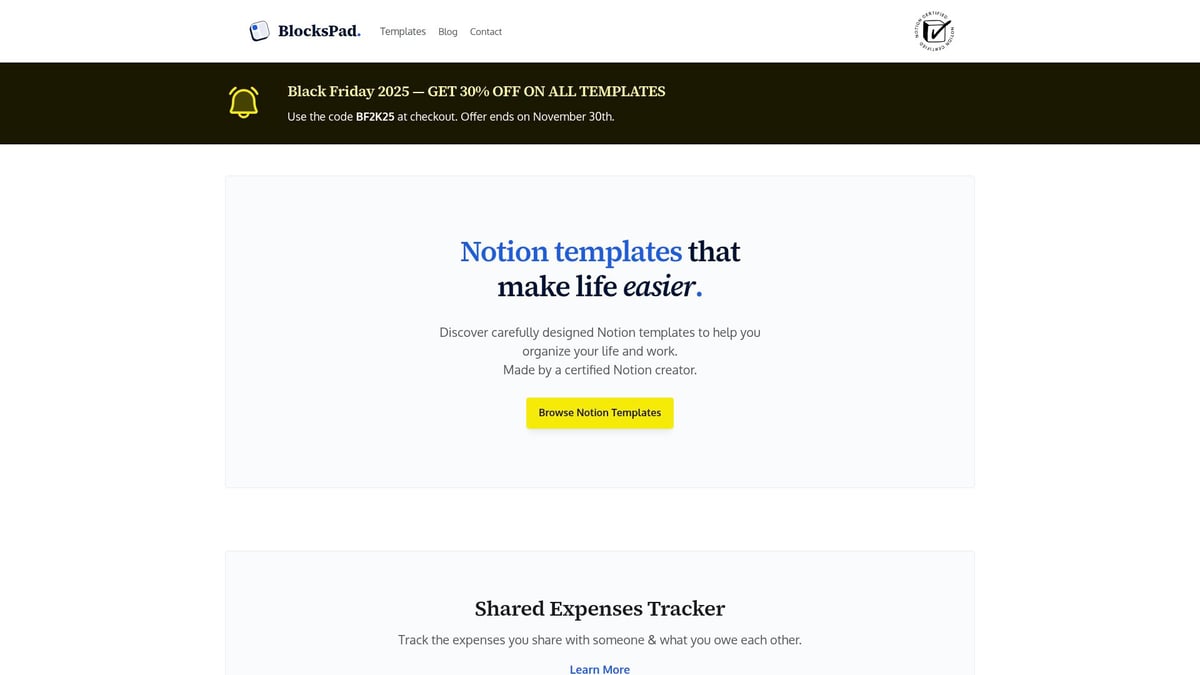
BlocksPad Student Smart Dashboard
BlocksPad Student Smart Dashboard is tailored specifically for student needs, blending simplicity with powerful organization. It is a standout among notion templates for students who want both style and substance.
Core Features:
Task tracker and deadline reminders
Class schedule and resource organizer
Personalized support and student discounts
Benefits & Unique Points:
Designed by a certified Notion creator, this template offers aesthetic layouts and strong customer support. It is intuitive yet customizable, appealing to students at all levels.
Pros:
Visually appealing
Intuitive interface
Cons:
Not free
Used globally, this dashboard has helped countless students manage studies and extracurriculars, underscoring the practical value of notion templates for students.
Cornell Method Notion Study Template
For those who prefer structured note-taking, the Cornell Method Notion Study Template brings a classic approach into the digital age. It stands out in the world of notion templates for students focused on active learning.
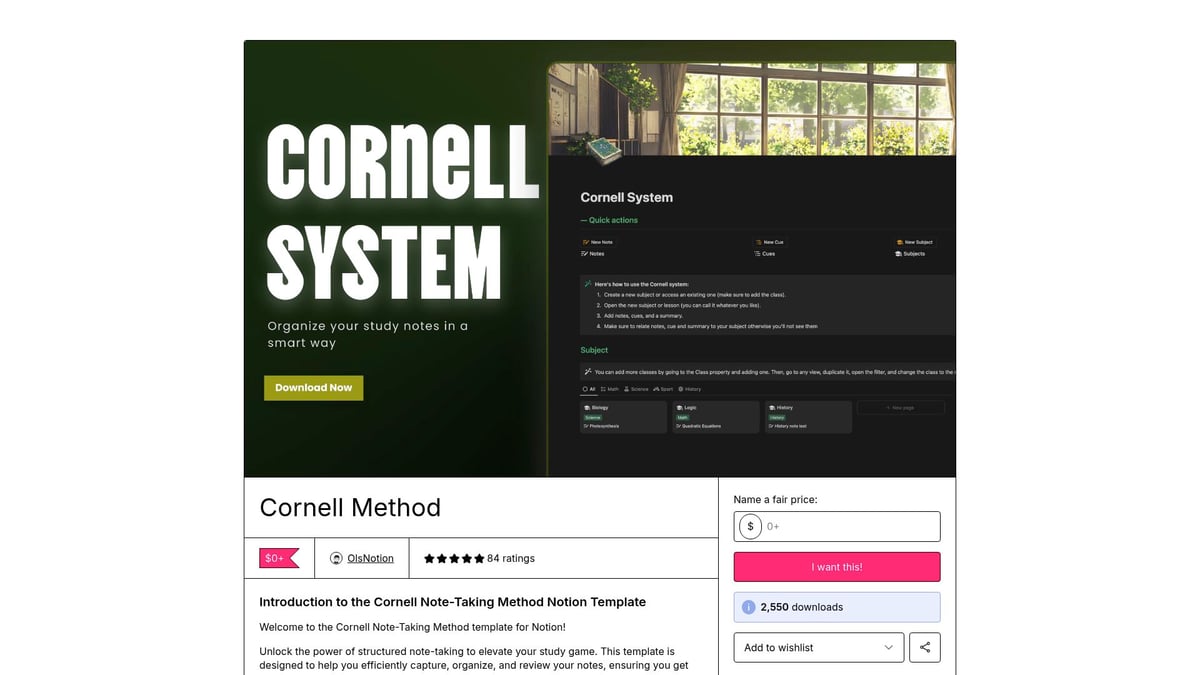
Core Features:
Cornell note-taking format
Summary and review prompts
Organized sections for each class
Benefits & Unique Points:
This free template adapts a time-tested study method, helping students improve retention and engagement. It is perfect for science and social studies learners.
Pros:
No cost
Encourages structured study
Easy to use
Cons:
Focused solely on note-taking
No broader planning tools
Students report improved exam performance and clarity, showing the lasting benefits of specialized notion templates for students.
Comprehensive Notion Student Hub
The Comprehensive Notion Student Hub is the ultimate all-in-one workspace, consolidating assignments, notes, schedules, and goals. As a free option, it is one of the most versatile notion templates for students on a budget.
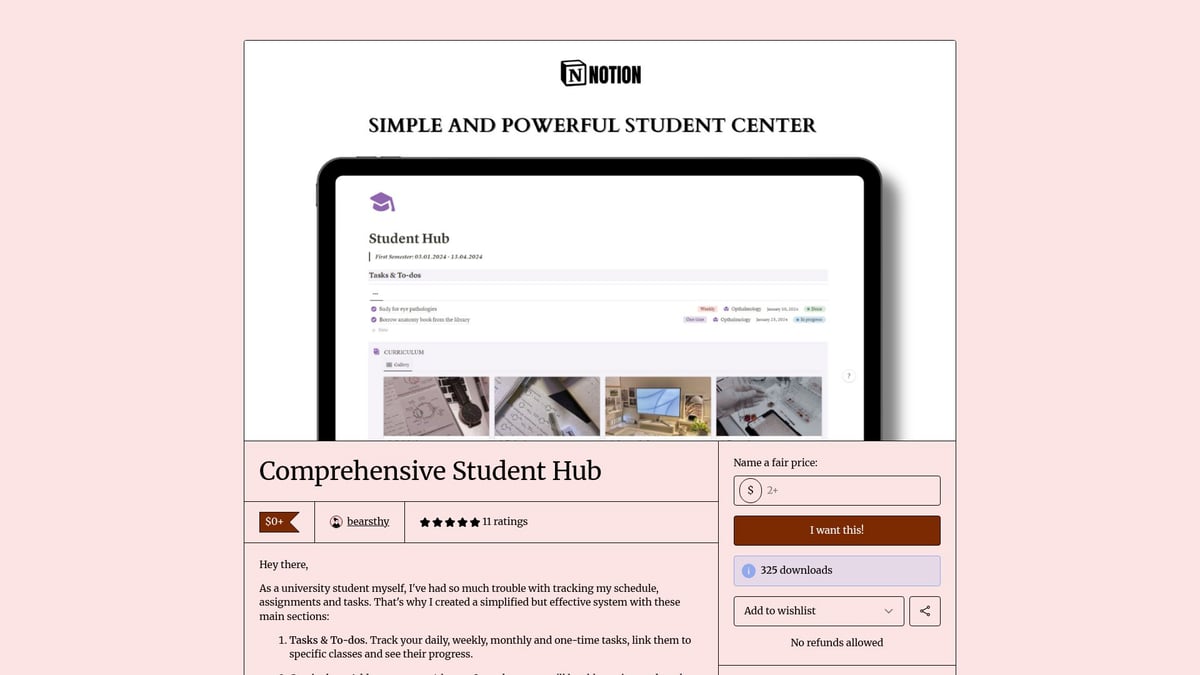
Core Features:
Central dashboard for all academic needs
Customizable modules for assignments, notes, and goals
Modular design for easy expansion
Benefits & Unique Points:
This template offers a robust system without any cost. While it may require some setup, its modularity allows students to tailor it to their workflow.
Pros:
Free and expandable
Covers all academic needs
Customizable modules
Cons:
Initial setup time
Less advanced automation
New Notion users and budget-conscious students often start here, discovering how free notion templates for students can be both powerful and accessible.
Template Comparison Table
Template Name | Key Feature | Price | Ideal For | Unique Point |
|---|---|---|---|---|
Student OS | All-in-one dashboard | Paid | All students | Automation, aesthetics |
Notion Student OS Dashboard | Task management | Paid | Multi-course, STEM students | Regular updates |
Green & Matcha Student Planner | Wellness-focused planner | Paid | Arts/humanities students | Calming visuals |
Notion Assignment Tracker | Assignment tracking | Free/$ | Homework-heavy students | Fast setup |
Feynman Technique Study Template | Feynman learning method | Paid | Exam prep, deep study | Proven technique |
Class Notes Notion Template | Digital note-taking | Free | All students | Shareable, minimalist |
Notion Second Brain | PARA/GTD organization | Paid | Advanced/grad students | Productivity frameworks |
BlocksPad Student Smart Dashboard | Student-specific dashboard | Paid | All students | Personalized support |
Cornell Method Study Template | Cornell notes | Free | Structured note-takers | Classic method |
Comprehensive Notion Student Hub | Modular academic workspace | Free | Budget-conscious students | All-in-one, free |
When exploring additional resources, you may want to review this Best Notion Templates for Students article, which offers further insights and peer recommendations to help you choose the most effective template for your workflow.
In summary, the right notion templates for students can redefine your academic experience. Whether you seek specialized study tools or a comprehensive student hub, these templates are designed to help you stay organized, motivated, and on track for success in 2026.
How to Choose the Best Notion Template for Your Student Workflow
Selecting the right notion templates for students can transform your academic experience. With so many options, a strategic approach helps ensure your workflow is organized, efficient, and motivating.
Assessing Your Academic Needs and Goals
Start by identifying your main productivity challenges. Are you missing deadlines, losing track of notes, or struggling with group projects? List your top needs, such as:
Assignment tracking
Note organization
Group collaboration
Exam planning
Matching notion templates for students to these challenges ensures targeted support and a more streamlined workflow.
Comparing Free vs. Premium Templates
When evaluating free and premium options, consider both features and value. Free templates often cover basics like task tracking and note-taking. Premium templates may add advanced automation, integration, and enhanced design.
Feature | Free Template | Premium Template |
|---|---|---|
Assignment Track | ✔️ | ✔️ |
Automation | Limited | Extensive |
Support | Community | Direct/priority |
Customization | Basic | Advanced |
Balance your budget with the level of support and features you need.
Evaluating Template Usability and Customization
Usability and customization are crucial for effective notion templates for students. Look for templates with intuitive layouts and flexible modules that adapt to your workflow.
Templates such as Notion Second Brain offer deep customization, while guides like How to Use Notion Templates help you personalize dashboards for your unique study habits.
Considering Aesthetics and Motivation
Visual design impacts your motivation and consistency. Templates like Green & Matcha or BlocksPad. use calming colors and inspiring layouts to make daily planning enjoyable.
Ask yourself: Does the template spark motivation? A visually appealing dashboard can help you stick with your routines and stay engaged throughout the semester.
Checking for Updates and Support
Regular updates and responsive support increase a template’s long-term value. Updated notion templates for students often include new features, bug fixes, and design improvements.
Templates like BlocksPad. and Notion Student OS Dashboard provide ongoing support. For more on dashboard features, read the Notion Student Dashboard Guide.
Reading User Reviews and Testimonials
Peer feedback is a reliable indicator of template quality and usability. Before choosing, check reviews on Notion forums or Gumroad. Look for comments on ease of use, support, and real-world academic results.
Gathering insights from other students will help you avoid pitfalls and select a template that aligns with your goals.
Maximizing Productivity with Notion: Pro Tips for Students
Mastering productivity with Notion templates for students requires more than just picking the right tool. To unlock their full potential, you must weave them into your daily habits, automate tedious tasks, and collaborate efficiently. Let us explore actionable strategies to help you get the most from your Notion setup.
Integrating Templates into Your Daily Routine
To fully benefit from Notion templates for students, make them a core part of your study habits. Start by scheduling daily and weekly reviews within your template dashboards. This regular check-in helps you stay on top of tasks and deadlines.
Block time each morning to update your assignments.
Set reminders for weekly goal reviews.
Use dashboard widgets for quick access to essential sections.
For a broader perspective on template integration, see this Notion Dashboard Templates Overview.
Automating Repetitive Academic Tasks
Save time by automating routine academic processes. Many Notion templates for students come with built-in automations, such as recurring tasks, deadline reminders, and progress tracking.
Enable recurring assignment checklists for ongoing classes.
Use automatic grade calculators to monitor performance.
Set up notification reminders for upcoming exams.
Automation streamlines your workflow so you can focus more on learning.
Collaborating with Study Groups and Classmates
Collaboration is key for group projects and peer learning. Notion templates for students allow real-time editing and sharing, making teamwork seamless.
Share project pages with group members.
Use comment features for feedback on shared notes.
Assign tasks and track group progress collaboratively.
This approach ensures everyone stays aligned and accountable throughout the project.
Syncing Notion with Other Productivity Tools
Enhance your productivity by connecting Notion templates for students with external tools. Sync your Notion calendar with Google Calendar for unified scheduling.
Link Trello boards for project management visibility.
Integrate Slack for instant class updates.
Export notes to PDF for offline access.
These integrations keep your academic life organized across all platforms.
Tracking Progress and Staying Motivated
Motivation grows when you see tangible results. Many notion templates for students feature progress bars, habit trackers, and goal modules to visualize your achievements.
Check off completed tasks and watch your progress bar fill.
Log daily study habits for consistency.
Set milestones and celebrate small wins.
For further ideas, explore Comprehensive Notion Study Templates to discover more ways to stay motivated.
Avoiding Common Mistakes When Using Notion Templates
Start simple to avoid overwhelm. Over-customizing Notion templates for students or skipping regular reviews can reduce their effectiveness.
Begin with basic features before adding complexity.
Schedule weekly template check-ins.
Adjust layouts based on feedback and personal needs.
By following these practices, you will build a sustainable productivity system that adapts as you grow.
As you can see, finding the right Notion template can truly transform your academic life—whether you need help organizing assignments, tracking habits, or simply bringing more balance to your day to day routine. With expert designs and student friendly features like custom dashboards and real time collaboration, there’s a Notion solution for every challenge you face in 2026. If you’re ready to experience the difference for yourself and streamline your workflow, I encourage you to Discover Notion Templates. Explore the options and find the perfect fit for your unique student journey.