7 Best Notion Planner Templates to Organize in 2025
Discover the 7 best Notion planner templates to organize your 2025. Compare features, benefits, and expert tips to boost your productivity all year.
Are you determined to make 2025 your most organized and productive year yet? If you are searching for a smarter way to plan and track your goals, Notion stands out as the digital workspace of choice.
This article uncovers the 7 best notion planner templates designed to streamline your tasks, routines, and ambitions for the year ahead. You will discover both free and premium options, each with unique features and ideal use cases.
Explore how the right template can transform your daily workflow. Unlock strategies to boost productivity, tap into Notion’s flexibility, and find the perfect planner for your needs.
Why Use Notion Planner Templates in 2025?
In 2025, digital planners have become essential for anyone aiming to boost productivity and stay organized. The notion planner stands out in this landscape, offering powerful tools to adapt to modern work and lifestyle demands. Let us explore why these templates are more relevant than ever and how to select the perfect one for your unique needs.
Digital Planning Trends and 2025 Productivity Needs
The shift to digital planning continues to accelerate in 2025, driven by remote work, hybrid schedules, and the need for greater flexibility. As more people seek to consolidate tasks, calendars, and goals into a single system, the notion planner has surged in popularity among professionals, students, and creatives alike.
Thousands of new Notion planner templates were released in the past year, reflecting the growing demand for customizable, all-in-one productivity tools. For example, hybrid workers now rely on their notion planner to manage meetings, tasks, and personal goals in one streamlined workspace.
Key Benefits of Notion Planner Templates
A notion planner provides a centralized workspace where you can manage projects, track tasks, take notes, and organize your calendar without juggling multiple apps. Real-time collaboration features make it easy for teams and families to plan together, while automation and integration options save time on routine processes.
Customization is a major strength, allowing users to adapt templates to their workflow and style. For inspiration and a variety of options, the Notion planner templates collection offers dozens of curated solutions for different needs. Imagine using Notion’s robust database features to set up recurring tasks, manage finances, or create a personal habit tracker with just a few clicks.
Comparing Notion to Traditional Planners
Switching to a Notion planner brings several advantages over traditional paper planners. Notion’s flexibility lets you quickly update and duplicate templates for each new year, so you never have to start from scratch. With cloud syncing, your plans are accessible across all devices, whether you are at home, in the office, or on the move.
Cost is another factor; thousands of free and paid templates are available, making it easier to find one that suits your budget. Plus, using a digital system reduces paper waste, supporting a more sustainable lifestyle. Many students now transition from paper planners to a notion planner to track assignments and deadlines more efficiently.
What to Look for in a 2025 Notion Planner Template
When selecting a notion planner for 2025, look for templates that offer yearly, monthly, weekly, and daily views to keep your planning comprehensive. Usability matters; choose layouts with clear navigation and intuitive design so you will actually enjoy using them every day.
Integration is also key—ensure your template works well with other Notion databases and third-party apps, like calendars or task managers. Consider the support offered, such as documentation or access to active user communities. Finally, pick a template with visual appeal; a well-designed planner can motivate you to stick to your routines and achieve your goals.
7 Best Notion Planner Templates to Organize Your 2025
Choosing the right notion planner can make the difference between a year of scattered tasks and one of streamlined achievement. There is a remarkable range of templates available, each tailored to different lifestyles and productivity needs. Below, you will discover the seven best Notion planner templates to help you organize 2025 with clarity and confidence.
Christine Tay’s All-in-One Planner (Free)
Christine Tay’s all-in-one notion planner is a comprehensive solution for anyone who wants a single dashboard for their entire life. This template offers yearly, monthly, weekly, and daily planning, making it easy to break down your big goals into actionable steps.
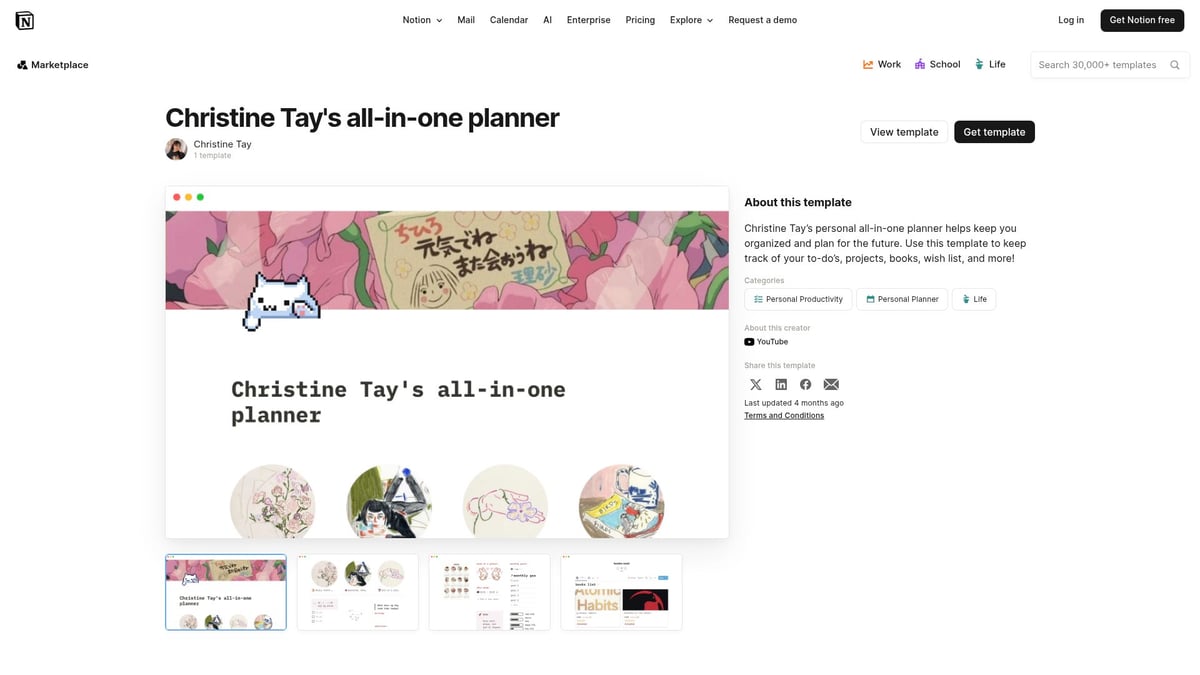
You will find habit tracking, budgeting tools, and goal setting modules all in one place. There is even a journal section for reflecting on progress or capturing key moments. The clean design and clear navigation make this notion planner accessible for both beginners and seasoned users.
Key Features:
Yearly, monthly, weekly, and daily planning views
Habit tracker and finance management
Goal setting, journaling, and reflection prompts
Pros:
Free and highly customizable
Comprehensive coverage of personal and professional needs
Suitable for freelancers, students, and remote workers
Cons:
Can feel overwhelming if you prefer minimalism
Some features may require initial setup for optimal use
Example Use Case:
A freelancer can use this notion planner to track client projects, manage monthly budgets, and monitor wellness routines, all from a single dashboard.
Ultimate Life Planner by The Seeker Society ($29)
For those seeking a notion planner that delves deep into personal growth, the Ultimate Life Planner by The Seeker Society stands out. This premium template is designed for ambitious goal-setters who appreciate visual goal mapping and structured self-improvement.
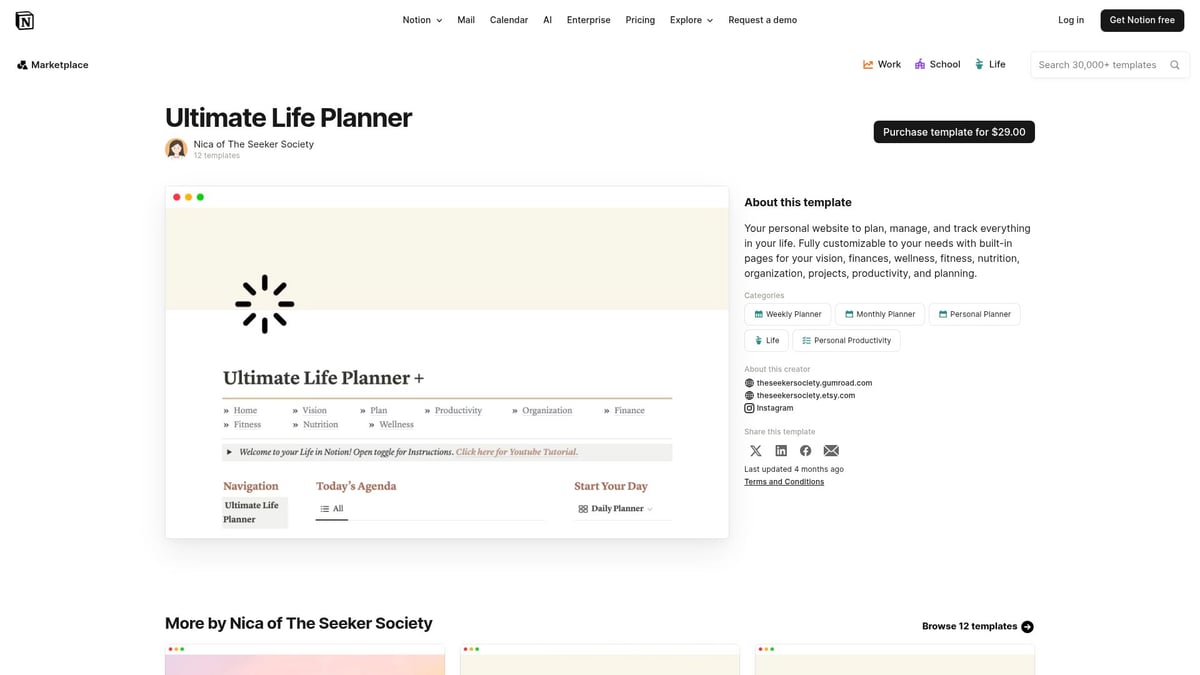
The template breaks down goals into manageable tasks, offers habit trackers, and includes a vision board for inspiration. Reflection prompts and motivational design elements help keep you engaged and on track throughout the year.
Key Features:
Visual goal mapping and quarterly planning
Habit and project trackers
Reflection and vision board sections
Pros:
Highly detailed and engaging design
Guides users through step-by-step goal achievement
Motivational prompts for regular check-ins
Cons:
Paid template, priced at $29
May be too feature-rich for those wanting a simple notion planner
Example Use Case:
Entrepreneurs use this notion planner to structure their quarterly business goals and personal development milestones, ensuring balanced progress across all areas of life.
Cotton Candy Clouds Weekly Planner (Free)
The Cotton Candy Clouds Weekly Planner offers a playful and visually appealing notion planner designed to make weekly planning enjoyable. Its pastel color palette and simple navigation help boost motivation and consistency.
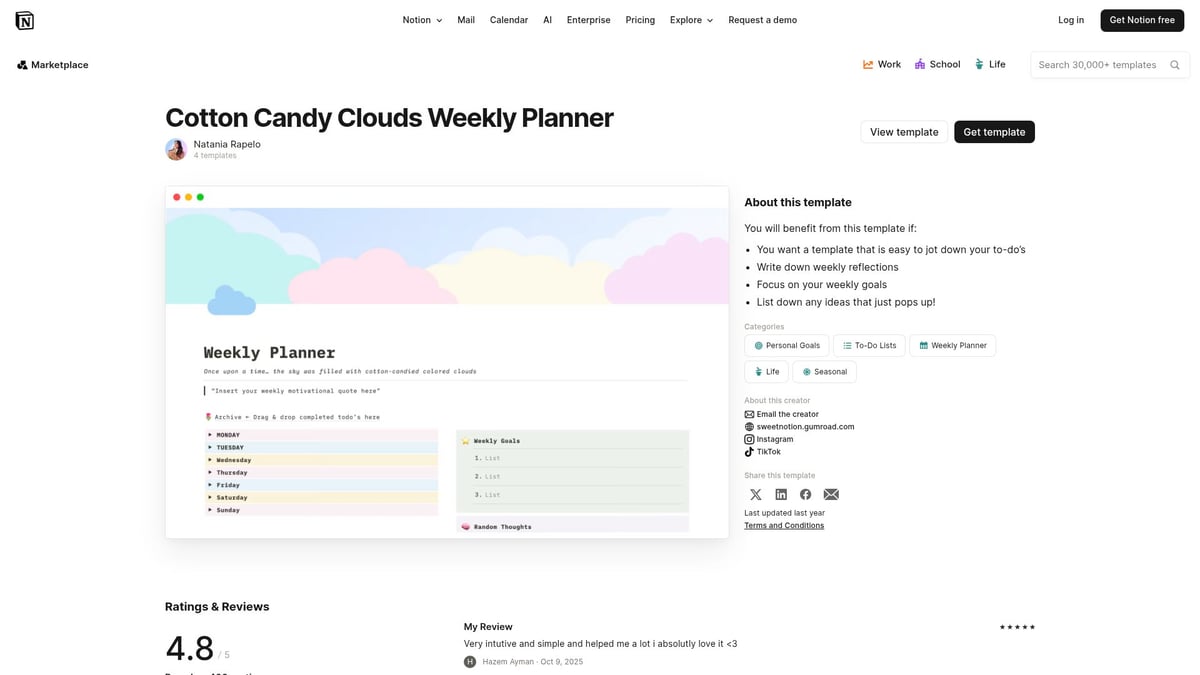
This template focuses on weekly planning, task lists, habit tracking, and a gratitude log. Its minimalist structure makes it easy to maintain, even during busy weeks.
Key Features:
Weekly planning and task management
Habit tracker and gratitude log
Soft pastel theme to inspire positivity
Pros:
Free and visually attractive
Easy to use, even for Notion beginners
Encourages regular gratitude practice
Cons:
Limited to weekly views
Not suitable for complex project or long-term planning
Example Use Case:
Students can use this notion planner to keep track of assignments, daily habits, and self-care routines, fostering a balanced academic and personal life.
Task Manager by HeySwitch (Free)
Task Manager by HeySwitch is a minimalist notion planner for those who value clarity and efficiency. This template is built around a powerful task database that allows users to track projects, assign status tags, set deadlines, and prioritize tasks.
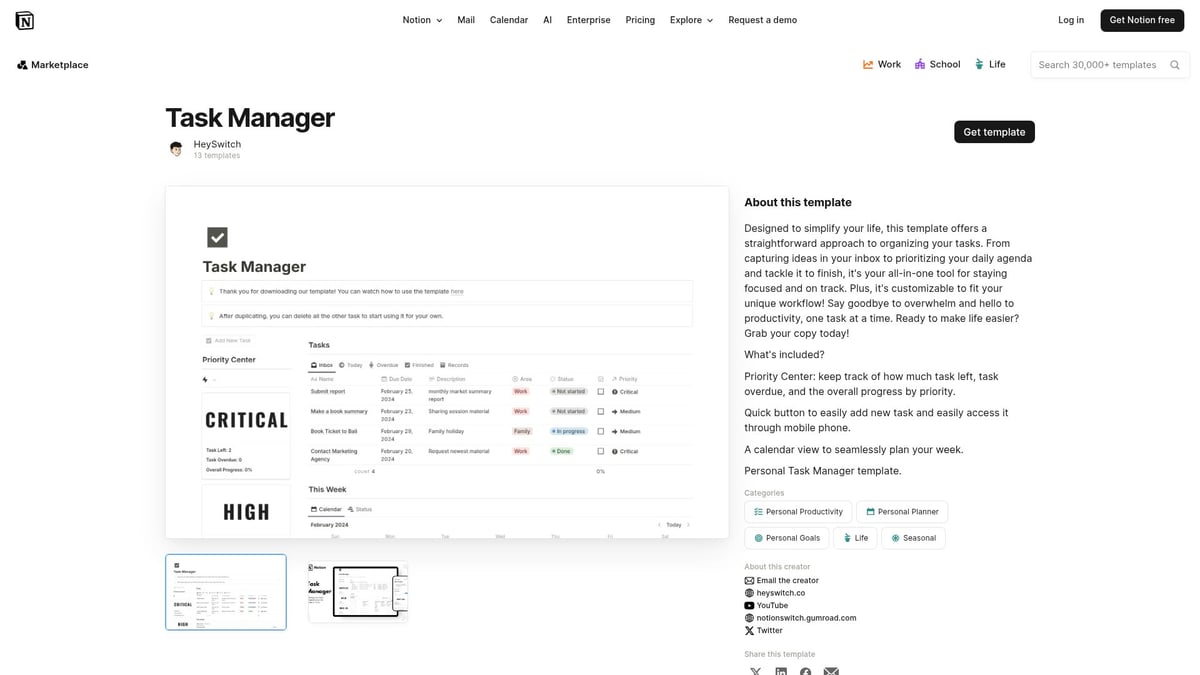
Its color-coded status and filtering options make it ideal for professionals and teams who need to juggle multiple responsibilities without clutter.
Key Features:
Task and project tracking database
Status tags, deadlines, and priority settings
Minimalist interface for quick navigation
Pros:
Free and intuitive to use
Excellent for solo use and team collaboration
Streamlines complex workflows
Cons:
No built-in calendar integration
Advanced workflows may require customization
Example Use Case:
A marketing team can use this notion planner to manage campaign tasks, assign responsibilities, and monitor project progress, keeping everyone on the same page.
Aesthetic Weekly Planner by VPM (Free)
The Aesthetic Weekly Planner by VPM brings together functionality and style in a calming, minimalist format. This notion planner encourages users to maintain positive habits and regular planning through motivational quotes and a visually pleasing layout.
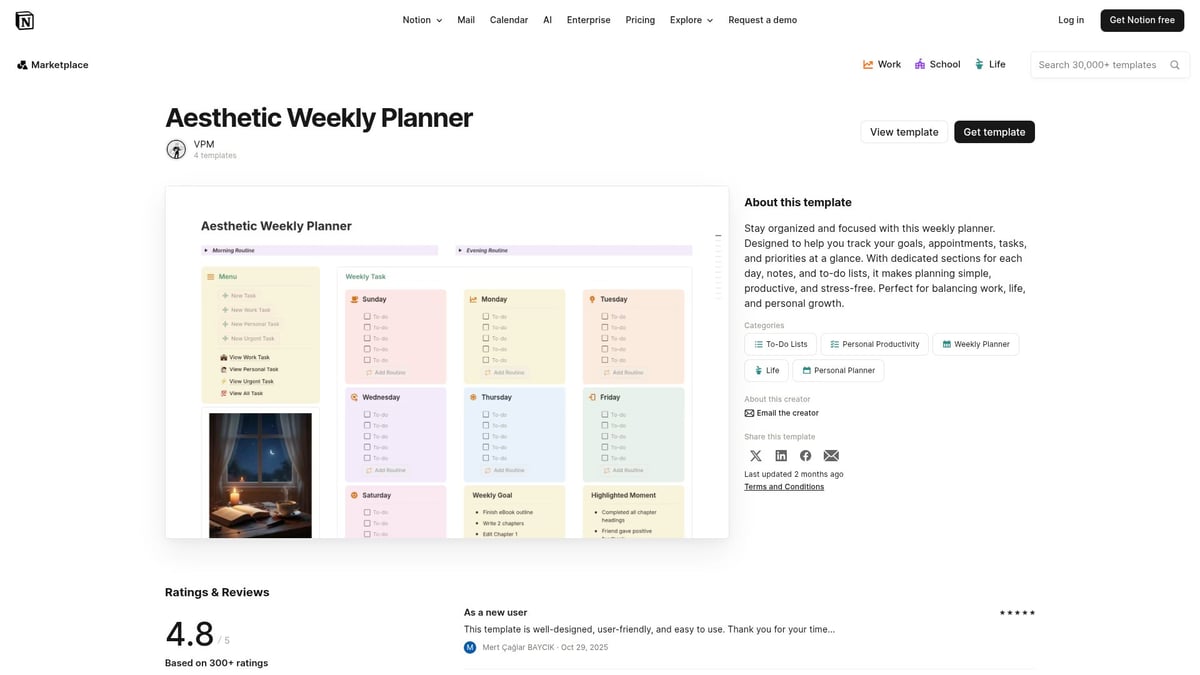
With a focus on weekly scheduling, to-do lists, and habit tracking, it is perfect for those who want a planner that is both practical and inspiring.
Key Features:
Weekly schedule and to-do list
Habit tracker and motivational quotes
Minimalist, calming design
Pros:
Free and easy to personalize
Encourages regular self-review
Supports mental wellness
Cons:
Focused on weekly planning only
May require additional setup for broader planning needs
Example Use Case:
Remote workers utilize this notion planner to organize meetings, track habits, and stay motivated with daily affirmations.
Time Blocks | Weekly Time Management by Lucy (Free)
If you thrive on structured time management, the Time Blocks template by Lucy is a powerful notion planner. Its visual time-blocking approach allows users to allocate their week into color-coded categories, making it easy to see where your time goes.
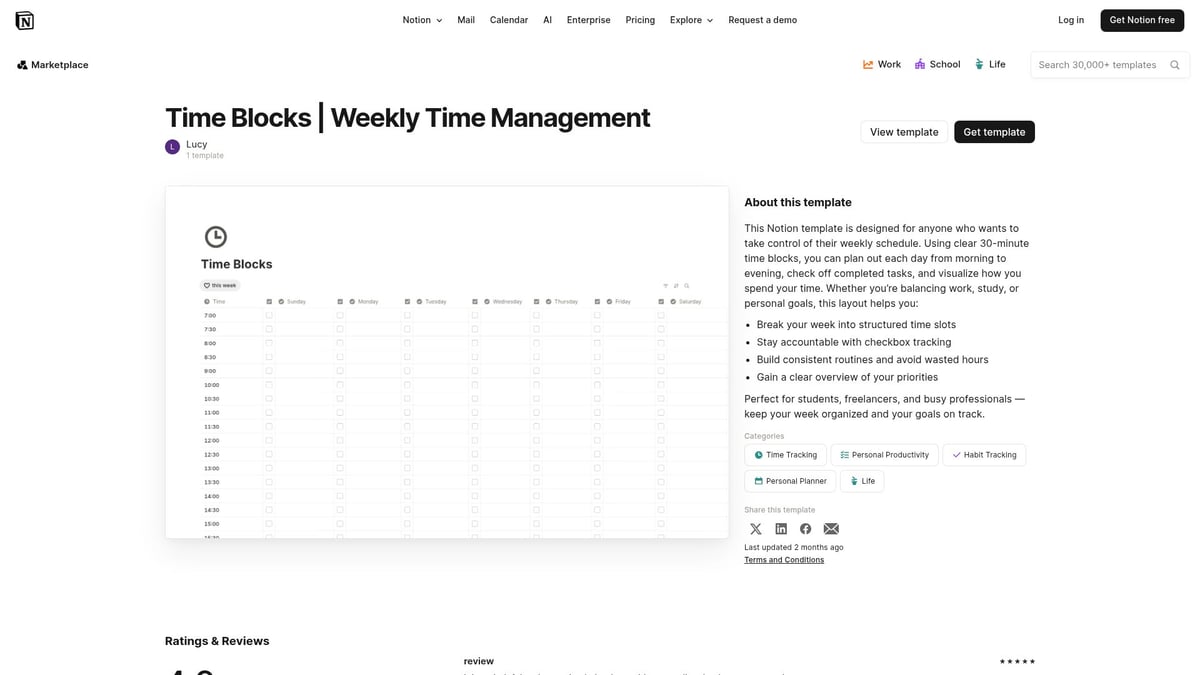
Drag-and-drop scheduling helps you adapt on the fly, while the interactive interface supports deep work and focus.
Key Features:
Visual time blocking for the week
Color-coded categories and drag-and-drop scheduling
Weekly overview for easy adjustments
Pros:
Free and highly visual
Supports focus and productivity techniques
Ideal for those with ADHD or busy schedules
Cons:
Weekly view only, no long-term goal tracking
May not suit users seeking detailed project management
Example Use Case:
Consultants use this notion planner to balance client meetings, project deadlines, and personal time, ensuring nothing slips through the cracks.
BlocksPad: Curated Notion Planner Templates (Various Pricing, Student Discount)
BlocksPad offers a curated collection of professionally designed notion planner templates, each tailored to different life and work scenarios. From expense tracking and travel planning to meal prep and academic management, BlocksPad has a template for every challenge.
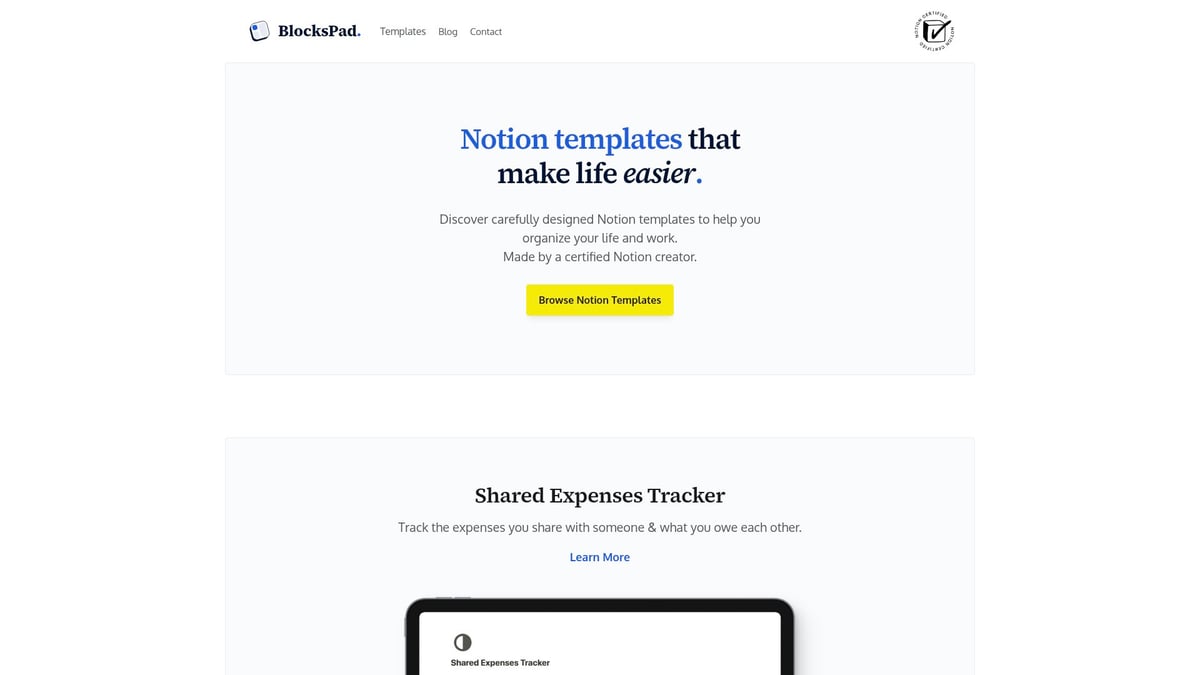
Templates are created by a certified Notion expert and updated regularly. Students can benefit from exclusive discounts, making premium planning accessible on a budget.
Key Features:
Wide variety of specialized planners (finance, travel, meals, academics)
Templates crafted for specific needs by an expert
Student discounts and direct creator support
Pros:
Customizable and regularly updated
Offers expert support and guidance
Student-friendly pricing
Cons:
Pricing varies by template
Purchase required for most options
Example Use Case:
A student manages finances and weekly meals with a 30% discount, using BlocksPad’s notion planner templates for academic and personal organization.
For those seeking even more inspiration or variety, you can explore additional Notion 2025 Templates on Etsy, where creators offer unique planners to match every style and workflow.
How to Choose the Best Notion Planner Template for You
Selecting the right notion planner can make a significant difference in your organization and productivity throughout 2025. With hundreds of templates available, narrowing down your options is crucial for finding one that fits your unique goals and daily routines.
Assessing Your Planning Needs and Workflow
Before choosing a notion planner, start by identifying your core planning needs. Do you need a daily, weekly, monthly, or yearly overview? Consider whether your focus is on tracking assignments, managing projects, building habits, or setting long-term goals.
For students, prioritizing assignment tracking and academic deadlines is essential. Tools like the Notion student smart dashboard are tailored for academic workflows, providing dedicated spaces for classes, due dates, and study schedules.
Managers or professionals may need dashboards that combine project oversight with personal task lists. Think about your workflow and decide if you need a broad overview or detailed breakdowns. The right notion planner will align with your daily habits and long-term ambitions.
Evaluating Design and Usability
A notion planner’s design directly impacts your motivation and consistency. Look for templates with clean, intuitive interfaces that make daily planning enjoyable. Visual appeal can encourage regular use, helping you stick to your routines.
Customization is another key factor. The best notion planner templates allow easy tweaks, such as changing colors, fonts, or adding widgets. This flexibility supports your personal taste or branding, making the workspace feel uniquely yours.
When comparing templates, consider how easy it is to navigate between sections, update entries, and locate important information. A well-designed notion planner should reduce friction and make planning a seamless experience.
Integration and Collaboration Features
Modern planning often requires collaboration and integration with other digital tools. If you work in a team, share responsibilities with family, or participate in study groups, opt for a planner that enables sharing and real-time updates.
Compatibility with calendars, reminders, and third-party apps like Google Calendar can streamline your workflow. For professionals managing complex projects, the Notion project manager dashboard offers robust collaboration features and seamless task updates.
Choose a notion planner that supports your preferred integrations. This ensures your planning system works harmoniously with the tools you already use, maximizing efficiency and minimizing missed deadlines.
Free vs. Paid Templates: What’s Worth Investing In?
Both free and premium notion planner templates offer distinct advantages. Free templates are abundant and often cover basic planning needs, making them perfect for beginners or simple workflows.
Premium templates typically provide advanced features, ongoing support, and sometimes regular updates. Investing in a paid notion planner may be worthwhile if you need specialized functionalities, such as automated dashboards or in-depth analytics.
Consider your budget and the value each template brings. With over 7,500 personal planner templates available, most users can find a suitable free option. However, professionals or power users may benefit from the enhanced capabilities of a premium notion planner.
Tips for Getting the Most from Your Notion Planner in 2025
Unlocking the full potential of your notion planner in 2025 requires more than just selecting the right template. With the right strategies, you can transform your digital planning experience into a streamlined, motivating, and productive daily routine.
Personalizing Your Template for Maximum Productivity
Customizing your notion planner is essential for making it truly work for you. Start by adjusting databases, layouts, and views to match your workflow. Add widgets, colorful icons, and custom covers to keep your planner visually inspiring and easy to navigate.
Consider integrating specialized templates, such as the Notion annual budget planner, to manage your finances directly within your workspace. This approach lets you combine goal tracking, budgeting, and daily tasks in one seamless system.
Rearrange sections based on priority
Create linked databases for tasks and goals
Use color codes for quick reference
A personalized notion planner not only saves time but also boosts motivation by reflecting your unique style and needs.
Building Consistent Planning Habits
Success with your notion planner depends on building habits that stick. Set up recurring tasks and automated reminders for important deadlines. Establish a daily review routine, such as spending 10 minutes each morning updating your planner.
Schedule weekly reflection sessions
Use habit trackers to monitor progress
Add gratitude or affirmation pages for positivity
By weaving these routines into your schedule, your notion planner becomes a central part of your day. Consistency transforms digital planning from a chore into a rewarding habit.
Leveraging Notion Integrations and Automation
Take your notion planner further by connecting it with other productivity tools. Integrate Google Calendar to sync events, or use Slack and Zapier for automated task updates. These connections reduce manual work and keep all your information up to date.
For example, you can set up automations to add meeting notes directly to your planner or trigger reminders based on project deadlines. This saves time and ensures nothing falls through the cracks.
Connect calendars for unified scheduling
Use third-party widgets for weather or focus timers
Automate repetitive tasks for efficiency
A well-integrated notion planner adapts to your workflow and keeps your projects moving smoothly.
Joining the Notion Community for Support and Inspiration
The notion planner community offers a wealth of resources, from template marketplaces to user forums and video tutorials. Engaging with this community helps you discover new layouts, productivity hacks, and creative ways to optimize your planner.
Follow Notion creators on platforms like YouTube for walkthroughs and updates. Participate in forums to troubleshoot issues or share your own tips. Learning from others accelerates your growth and keeps your notion planner fresh and inspiring.
Browse template galleries for new ideas
Join forums for troubleshooting and advice
Watch tutorials for advanced customization
Staying connected ensures you always have support, inspiration, and the latest techniques.
Now that you’ve explored some of the most effective Notion planner templates for organizing your 2025, you might be wondering how to find the perfect fit for your unique needs. Whether you want to streamline your projects, manage your finances, or simply enjoy a more organized day to day, having access to thoughtfully designed templates makes all the difference. If you’re ready to take the next step towards better productivity and structure, I recommend checking out this curated selection—each one crafted by a certified Notion expert to help you reach your goals.
Discover Notion Templates